There is no physical reset button on the device. If you need help resetting your password, please feel free to reach out to us Via chat at our website microcenter.com, or give us a call at (800)-207-3434.
Note: As the ReadyView app is no longer in service, this will not grant you access to it, to find more information about ReadyView end of life please see this article
Please Follow the Below steps to make sure you are ready before you reach out!
When using a mouse and monitor connected directly to the NVR:
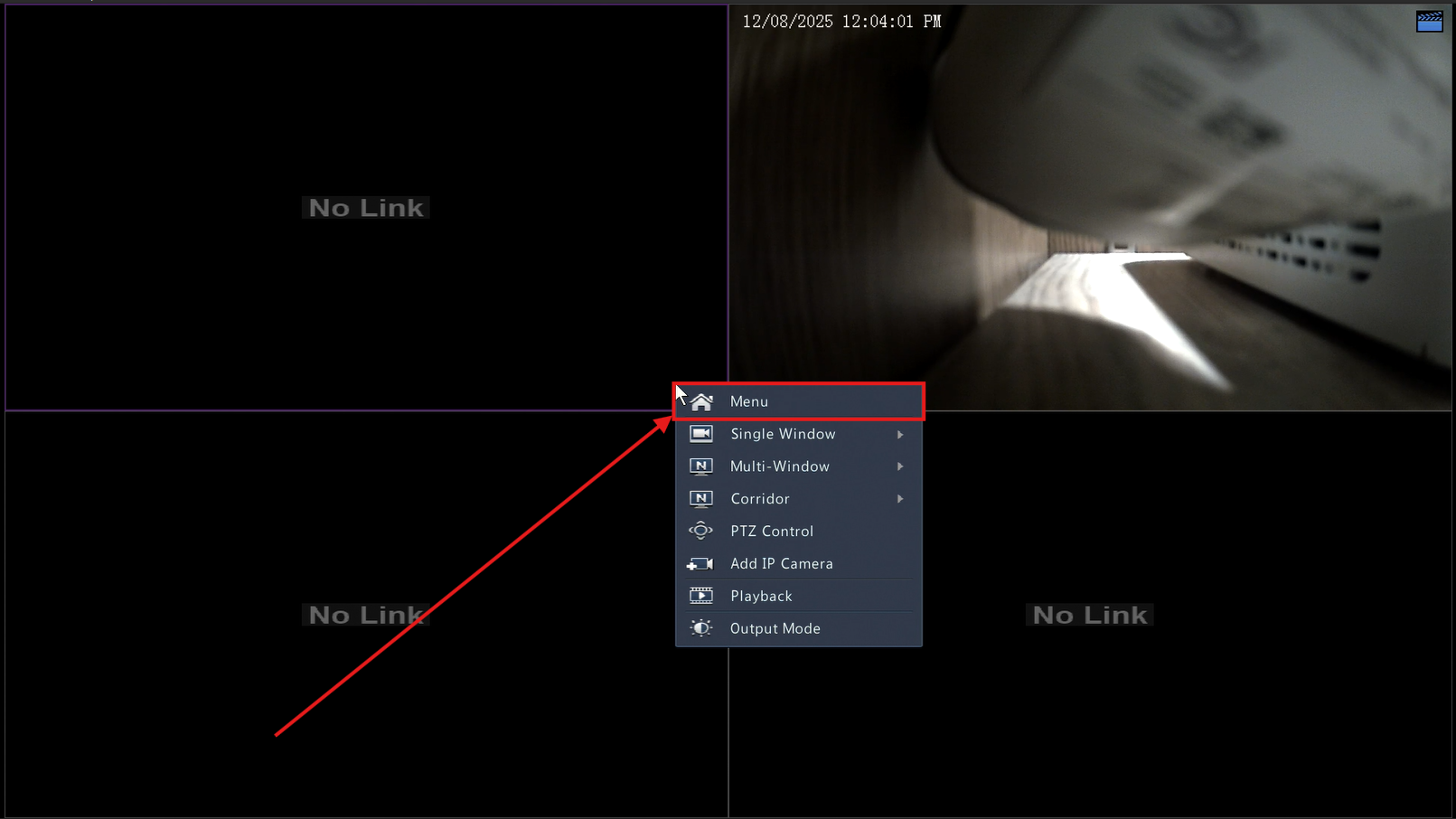
1) Right click anywhere on the screen. Then click Menu:
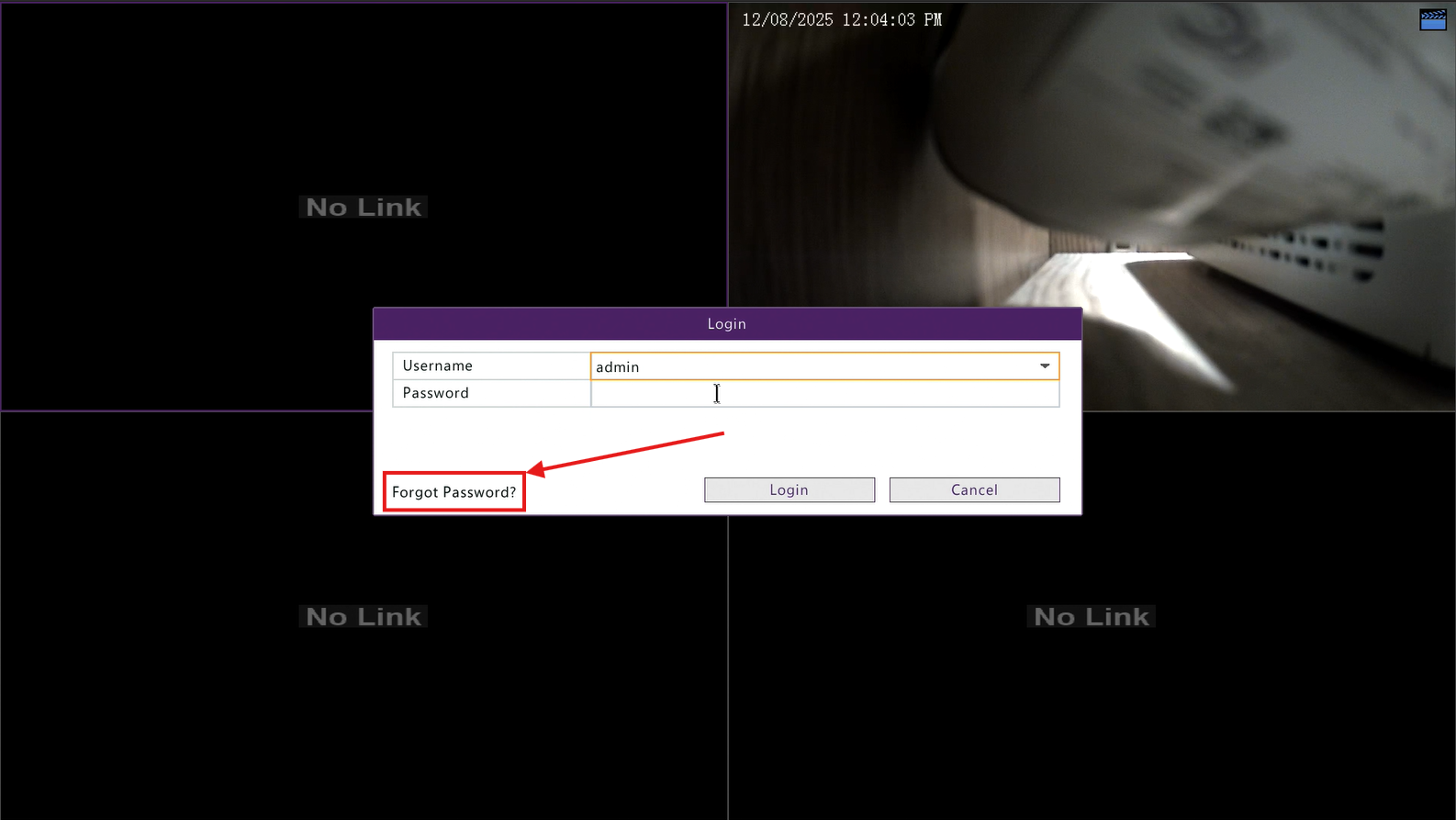
2) Click on Forgot Password:
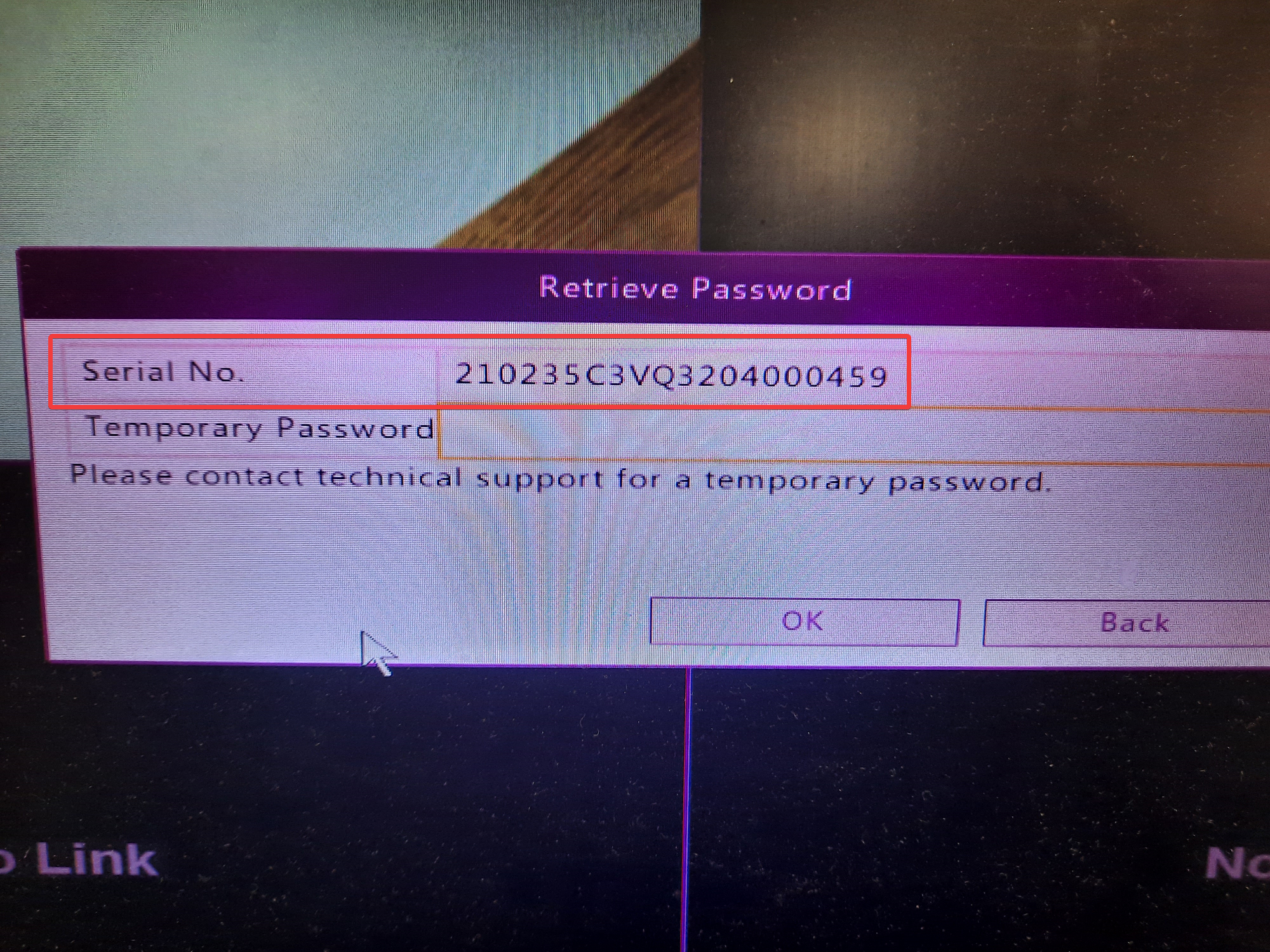
3) The serial number will be displayed here:
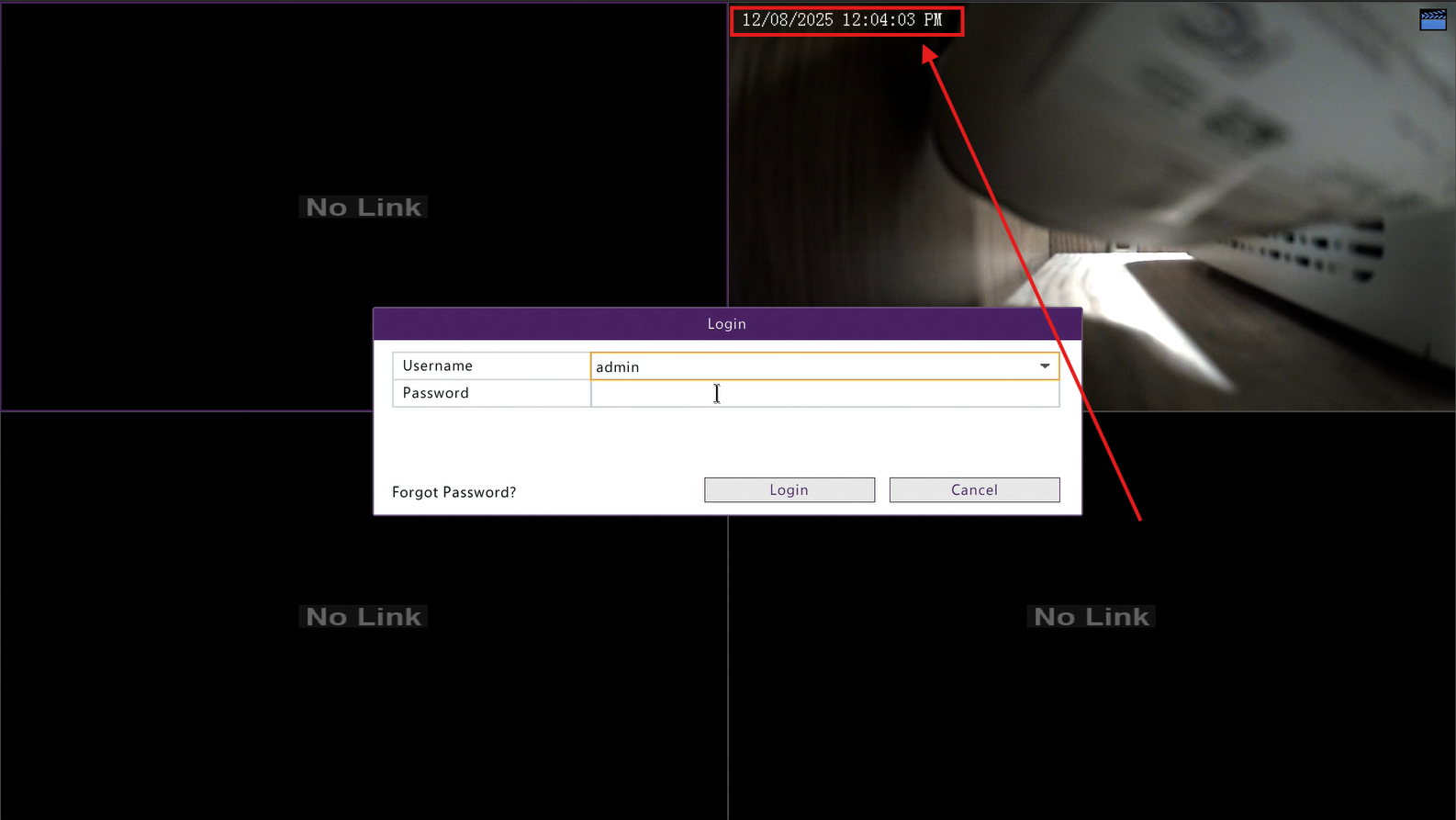
4) Get the time and date from the corner of one of your active feeds as well:
5) Once you have both the serial number and the time and date your device is displaying, reach out to us via chat at microcenter.com, or give our tech support line a call at (800)-207-3434 and we will be happy to help you get your password reset!
