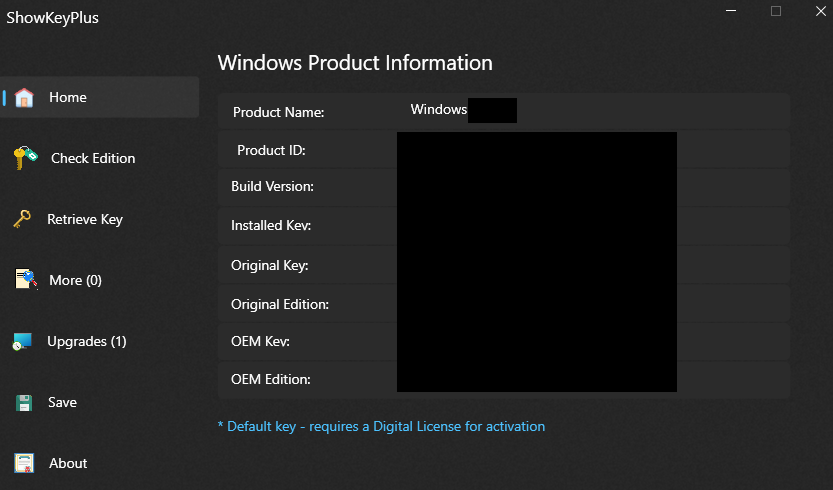
Any Windows computer should come with a license key for activation. However, that key isn't always readily available. Some computers have a sticker on the outside with it, but with newer computers the key is usually pre-loaded and stored digitally on the system.
This article will show you how to find your license key with a program called ShowKeyPlus.
This program works on both Windows 10 and 11
ShowKeyPlus is a simple third-party software that is made to bring up the license key on your system.
Here is how to use the ShowKeyPlus software:
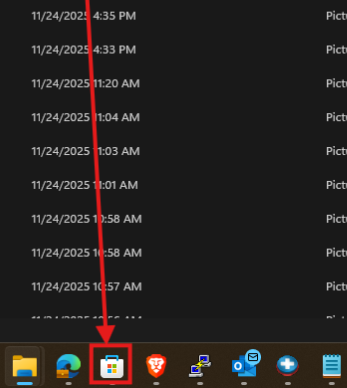
1. You can get ShowKeyPlus as a Microsoft/Windows Store app. It's a quick download and you can find in the Microsoft store (the shopping bag icon in the bar on the bottom of your screen)
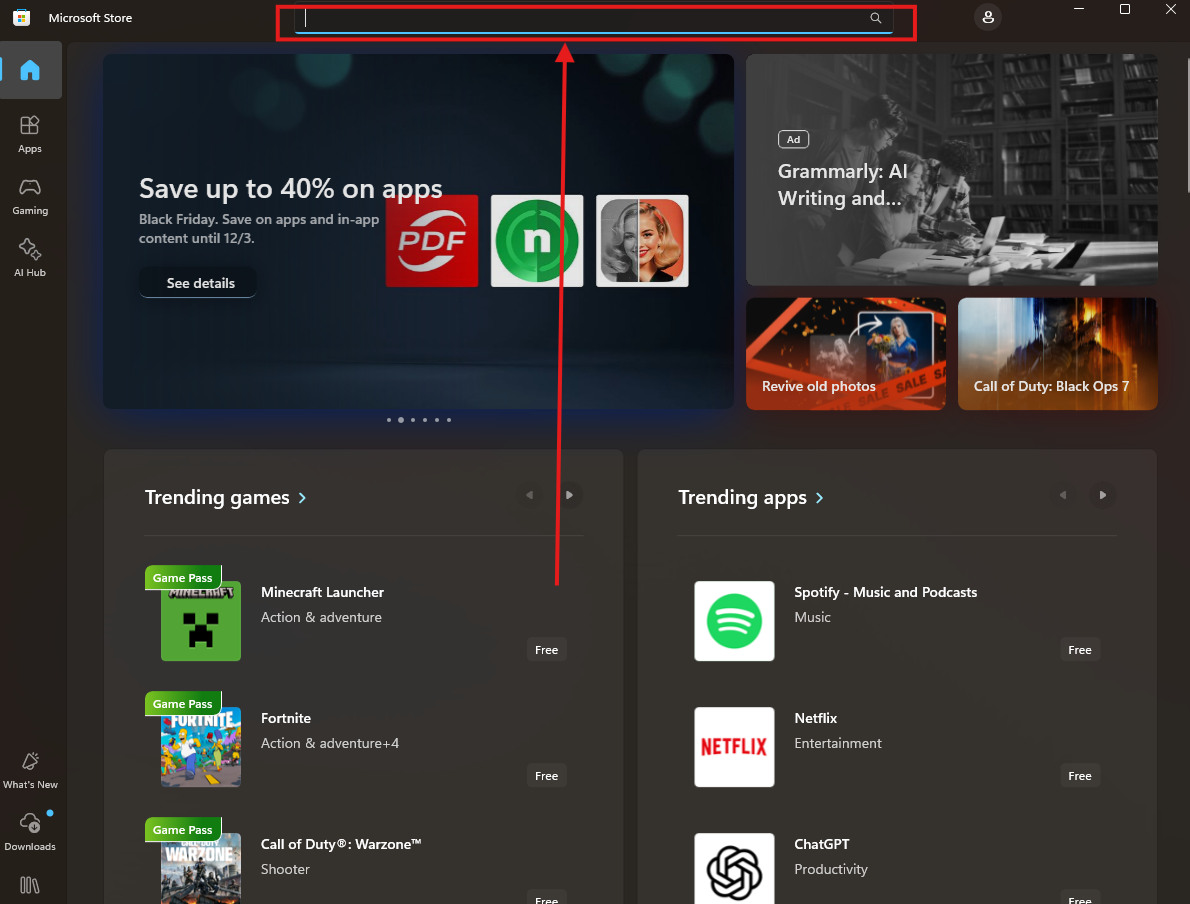
2. Once the store is open click the search bar at the top and type ShowKeyPlus, once you have done that, press the Enter key on your keyboard

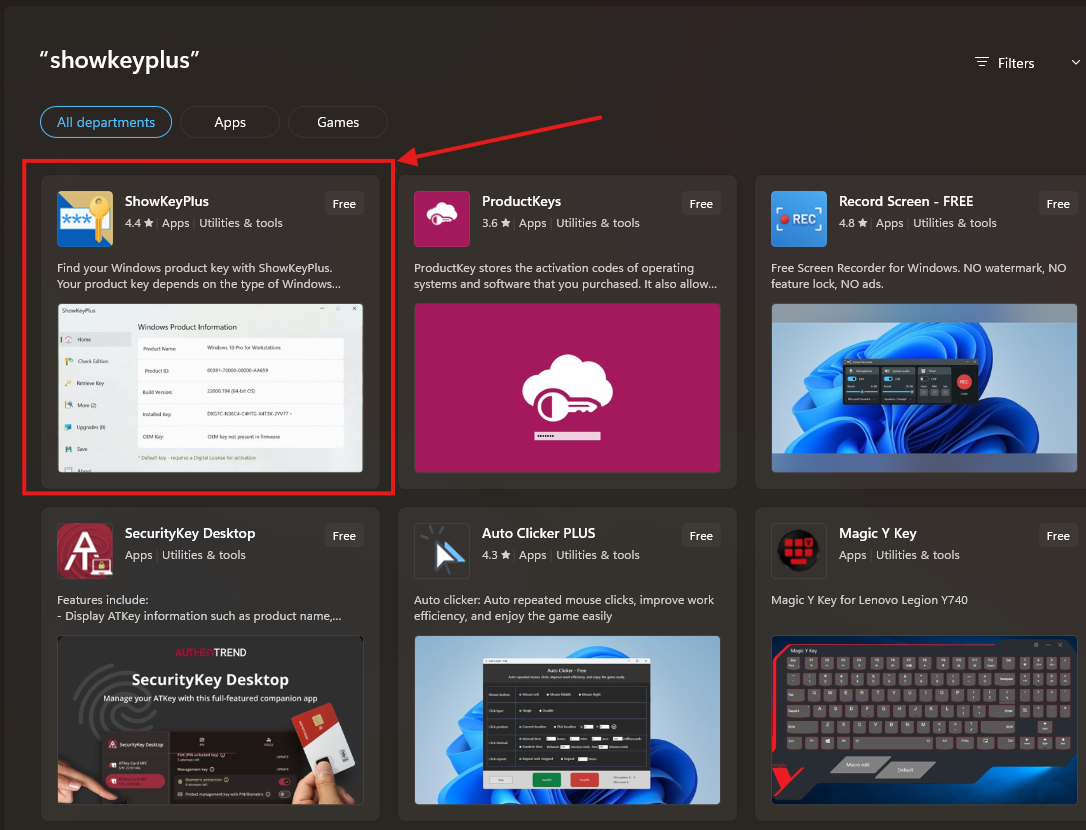
3. Select ShowKeyPlus from the list of options
4. Click the Get button
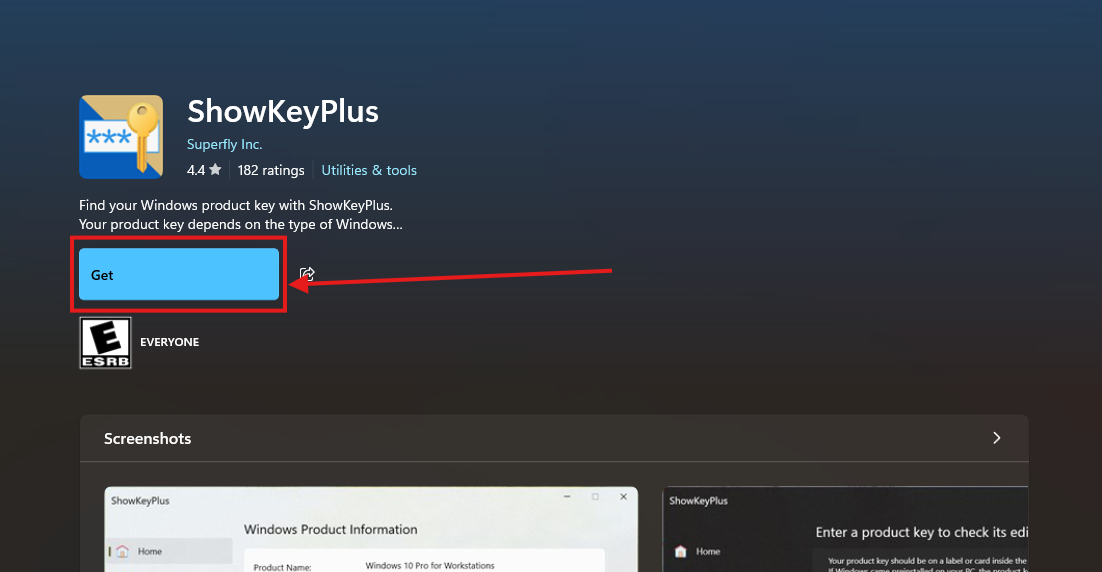
Once you click get it will automatically download and install the app

5. Once it is done installing click the Open button

6. Upon clicking open you will be presented with your windows license key