
"Not supported" items.


My motherboard and gpu are not supported. I'd like to know if this is causing the error screens im seeing costantly on my brand new prebuilt.
Answers
-
What model? Make sure it's updated, the version we ship is a base version and it automatically should pull the latest from the Microsoft Store with the updated dictionaries.
-
@PowerSpec_MikeW Motherboard: Gigabyte B850 GAMING WIFI 6 \\\ GPU: AMD Radeon 9070 XT
-
It's supported. Run your updates on the Microsoft store. Make sure it's on version 1.0.70.0 or higher.
-
@PowerSpec_MikeW what exactly am i updating in microsoft store?
-
@PowerSpec_MikeW Nevermind im a little dumb. It's on an older model than what you said, ill update it now.
-
Odd, it should fire off right away and pull that file down. Let me know if you have any issues.
-
@PowerSpec_MikeW I still face BSOD's after updating all drivers through the AMD app, updating Gigabyte Control Center, getting all windows updates, and updating the PowerSpec Dashboard. Could this be a BIOS version issue? I checked the manufacturers site and there are two new versions ahead of my version. I am on version "F5a" and the two newer ones are "F6" and F7". Could this be it?
-
-
I also want to add that most of my ERRORS in event viewer state something about firmware. "Secure Boot certificates have been updated but are not yet applied to the device firmware. Review the published guidance to complete the update and ensure full protection."
-
The other error, "The computer has rebooted from a bugcheck. The bugcheck was: 0x00000162 (0xffffc2830dd84040, 0xffffad0e05eb4690, 0x0000000000000000, 0x0000000000000000)."
-
I have F7 posted on PowerSpec.com. I doubt it solves this though, it sounds like instability. In the BIOS try changing this setting, I think it's uclk div 1 mode from 1:1 to 1:2 and see if the issues stop.
I don't have a gigabyte board to look at on the weekend unfortunately.
-
@PowerSpec_MikeW Got another BSOD and now I’m locked out for another two hours. Guess I’ll have to wait! I’ll try changing the setting once I’m back.
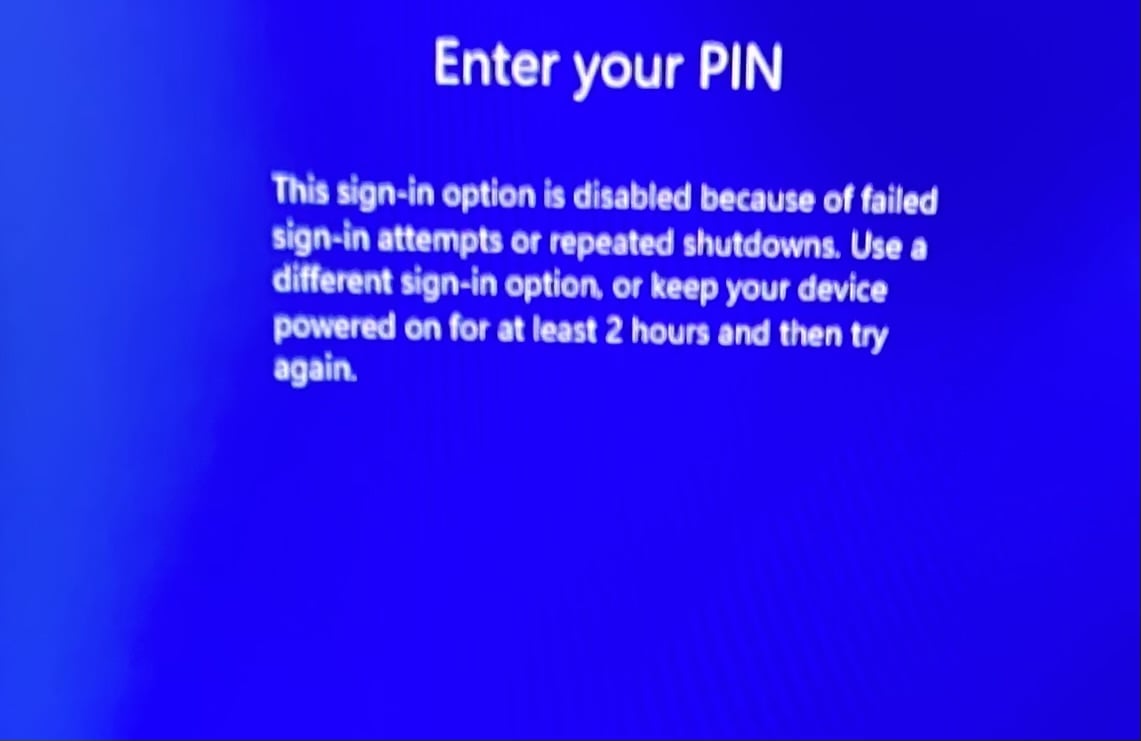
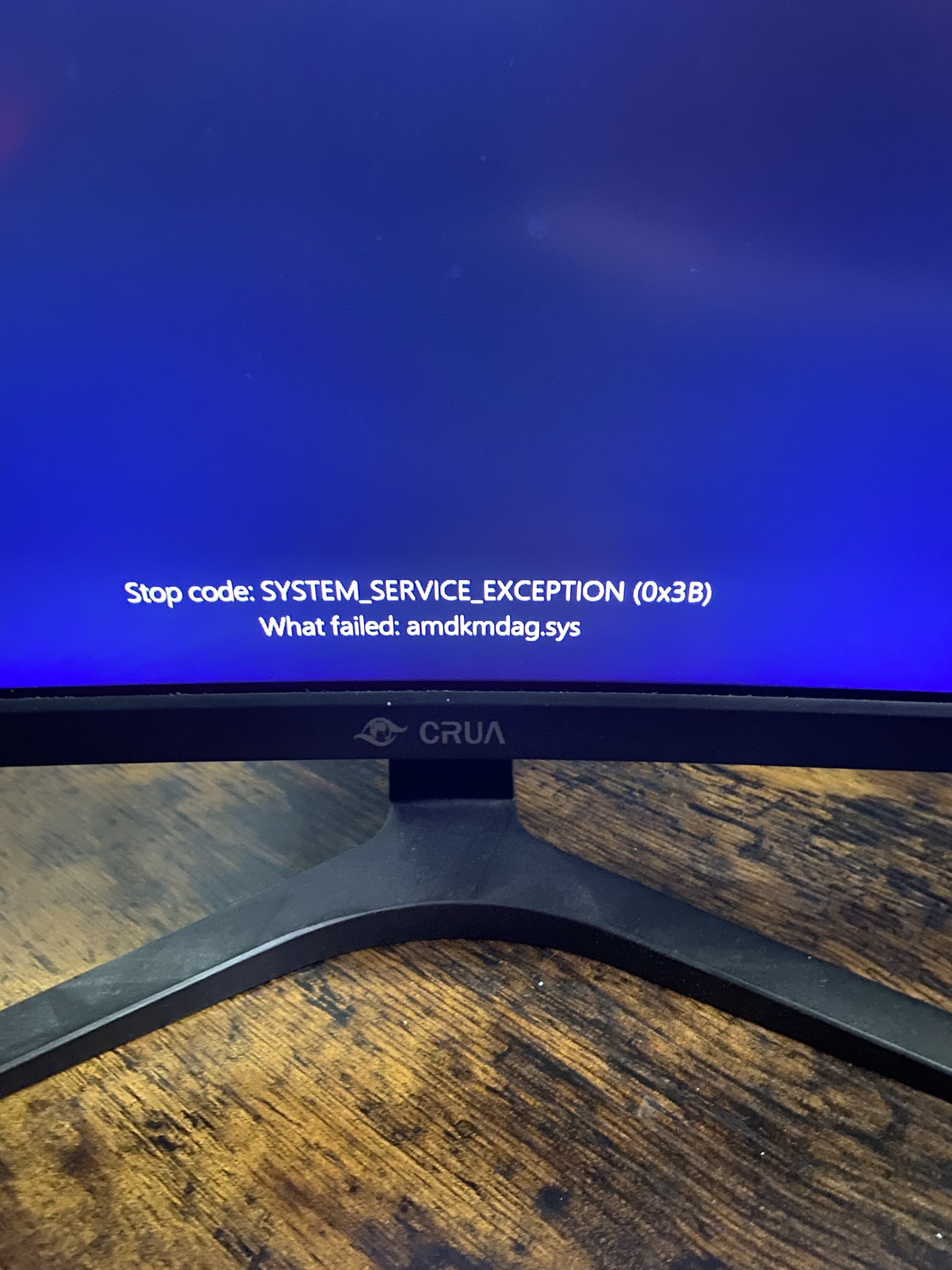
-
im still crashing :((((( (same error in event viewer)
-
No change after that setting? I'd run memtestx86 and verify we're looking at the right problem.
-
@PowerSpec_MikeW I left it over at microcenter and so far they've said they haven't found anything wrong with it at all.
-
They said they’ll update BIOS regardless, hopefully it’s fixed. I also tested my old pc in the same area and it didn’t have errors screens.
-
Let me know, lots of possibilities with general instability.
-
@PowerSpec_MikeW looks like the BIOS update fixed it. It has been stable with no issue for a very long time now, longer than its ever lasted without an error screen.
-
Bad flash originally? You were already to F7 weren't you?


Leave a Comment
Categories
- All Categories
- 1 The Blog
- 1 What's Trending
- 8.1K The Community
- 3.2K General Discussion
- 152 New Members
- 890 Consumer Tech
- 243 Prebuilt PCs and Laptops
- 171 Software
- 33 Audio/Visual
- 54 Networking & Security
- 4 Home Automation
- 5 Digital Photography
- 14 Content Creators
- 30 Hobby Boards & Projects
- 84 3D Printing
- 84 Retro Arcade/Gaming
- 64 All Other Tech
- 495 PowerSpec
- 2.7K Store Information and Policy
- 155 Off Topic
- 68 Community Ideas & Feedback
- 620 Your Completed Builds
- 4.1K Build-Your-Own PC
- 3K Help Choosing Parts
- 329 Graphics Cards
- 339 CPUs, Memory, and Motherboards
- 146 Cases and Power Supplies
- 54 Air and Liquid Cooling
- 51 Monitors and Displays
- 94 Peripherals
- 71 All Other Parts
- 65 Featured Categories
We love seeing what our customers build
Submit photos and a description of your PC to our build showcase
Submit NowLooking for a little inspiration?
See other custom PC builds and get some ideas for what can be done
View Build ShowcaseSAME DAY CUSTOM BUILD SERVICE
If You Can Dream it, We Can Build it.

Services starting at $149.99