
Powerspec G760 - How to sync fan ARGB with RAM ARGB?

Hello,
All ARGB was in sync out of the box, but after playing around with the BIOS Aura settings (Stealth mode, Aura only, etc.) they are no longer in sync. Only the fans are in sync and the RAM is not lit up. I've also installed the g. skill trident software to turn on RAM ARGB but it is not in sync with ARGB. Is there any way for me to reset them to default settings so they are in sync again like they were originally?
Answers
-
-
Hi speaking of the G760, how do I control the AIO fan speed? Couldn't find the AIO fan in the bios. It seems to be spinning at max speed at idle. Thanks!
-
AIO fan should be connected to the CPU_FAN header.
-
Hi! this is how it looks inside, not sure if the aio is connected but there's a plug on the CPU fan
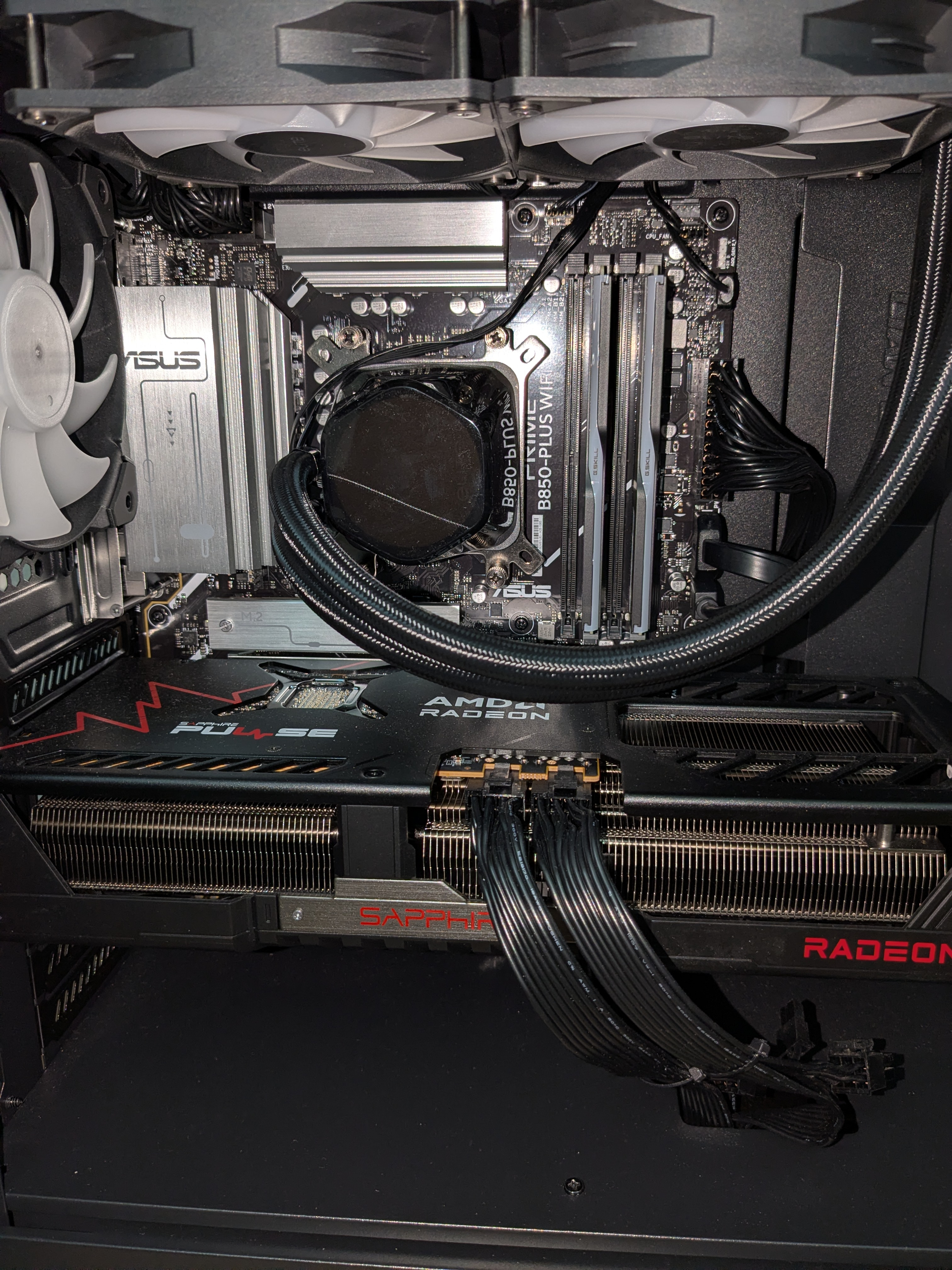
-
Unplug the highlighted connector and power the system on. If top fans don't run, you're good. If not, we have an issue. Don't leave it for very long.
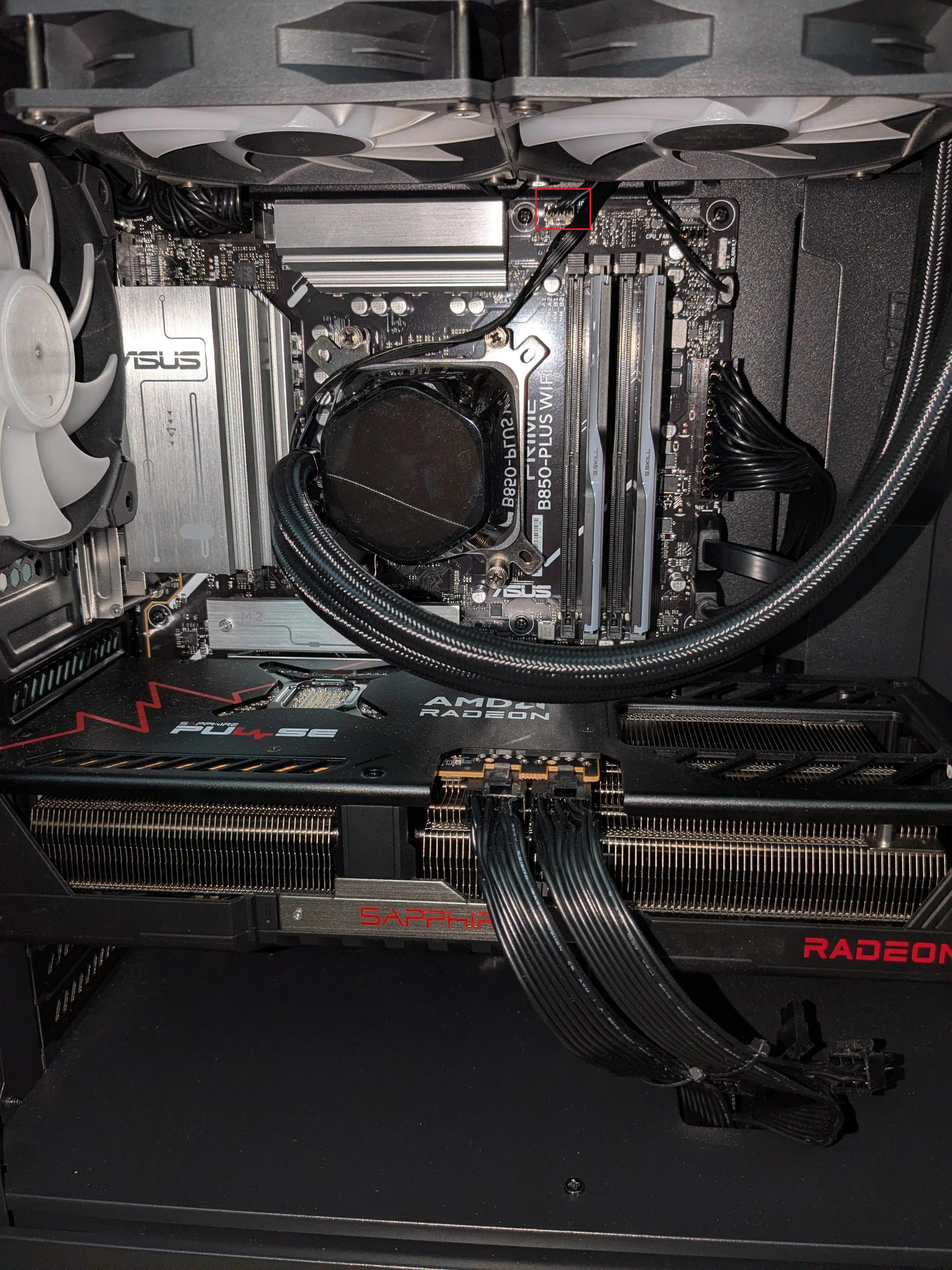
-
Hello! I took out the highlighted USB and the fan doesn't run and RGB light stays on. After testing I turned it off right away. Where should I plug this? Thanks!
-
If it doesn't run, leave it there. It's in the right spot. Your CPU_FAN is the header to adjust.
-
The cable I took out from AIO pump header, I should leave it unplugged?Where should I place the current cable in CPU fan then? or should I swap these two? Thanks!
-
AIO fans should stay on the CPU_FAN header, AIO pump should be on the PUMP header.
-
@PowerSpec_MikeW Thank you! I swapped the cables around from the initial picture between AIO and CPU. Afterwards, tested in BIOS CPU Fan setting at max and it changed the AIO fan speed.
AIO Pump is running at 1200RPM on max. Is this normal operating RPM?Have a great weekend!😁
-
Yes, ideally pump just stays at full RPM.
-
Hello! Just want to confirm the max speed for AIO pump is running at 1200 RPM only? Seems a bit low for full power. Thanks!
-
I'll check it tomorrow for you.
-
Hello! Just wanted to check if you were able to find the max rpm speed for the AIO in G760. If the rpm 1200 is considered low at Max speed, any suggestions to take? Thanks!
-
Should be much higher if it's under load, but it's PWM so it will throttle down. You can set the header to full speed.
-
Header is set at full speed but bios is reading 1190-1200 rpm only. Should I place the pump cable in another header?
-
I didn't check on the exact build, so it may just be how that board is reading the RPM sensor. On the Gigabyte board I had setup it read at 3K, but I can double check tomorrow. What are you temperatures at under load?
-
Was 51C idle and underload is 88C per microcenter technician when they tested it recently. They mentioned physical connector for AIO pump only has 2 connections from pwm. Pump is handling speeds itself and reported speeds should be doubled notes said. I'm guessing its just a sensor issue reporting incorrect speed?
-
Yes, that's what I'm seeing that board report on my side. No issue.


Leave a Comment
Categories
- All Categories
- 1 The Blog
- 1 What's Trending
- 8K The Community
- 3.2K General Discussion
- 145 New Members
- 872 Consumer Tech
- 233 Prebuilt PCs and Laptops
- 168 Software
- 33 Audio/Visual
- 54 Networking & Security
- 4 Home Automation
- 5 Digital Photography
- 14 Content Creators
- 30 Hobby Boards & Projects
- 84 3D Printing
- 83 Retro Arcade/Gaming
- 62 All Other Tech
- 429 PowerSpec
- 2.6K Store Information and Policy
- 150 Off Topic
- 61 Community Ideas & Feedback
- 616 Your Completed Builds
- 4K Build-Your-Own PC
- 2.9K Help Choosing Parts
- 328 Graphics Cards
- 334 CPUs, Memory, and Motherboards
- 145 Cases and Power Supplies
- 54 Air and Liquid Cooling
- 49 Monitors and Displays
- 93 Peripherals
- 69 All Other Parts
- 65 Featured Categories
We love seeing what our customers build
Submit photos and a description of your PC to our build showcase
Submit NowLooking for a little inspiration?
See other custom PC builds and get some ideas for what can be done
View Build ShowcaseSAME DAY CUSTOM BUILD SERVICE
If You Can Dream it, We Can Build it.

Services starting at $149.99