
PowerSpec G527 RGB Issues


Editing original post as I performed a system restore to get Mystic Light Lite back.
Hi, I recently purchased a PowerSpec G527 and it came with Mystic Light Lite which is not working when I want to change my RGB settings. Currently only the CPU fan RGB is on and looks like it's at the default setting (rainbow). The front two fans on the case are not on at all. Is there a different method besides system restore/standard Mystic Light/checking BIOS (all up to date)? Thanks!
Best Answer
-
It's up here:


Answers
-
Is the Cooler the AMD Wraith or the Cooler Master Spectrum 212?
-
Looks like Cooler Master Spectrum 212 comparing to images on Google.
-
It's all ARGB. I would check for any loose cables on the bottom of the board.
-
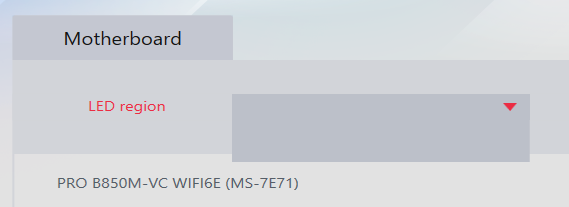
All cables seem to be good, nothing loose from what I can tell. When I powered on the PC again, the colors on all fans (CPU and front fans) are back to the last setting. However, Mystic Light Lite has nothing listed if I go to change the colors/settings. Previously, it WAS listing all the various components:
-
Uninstall, reboot. Then install MSI Center and Mystic Lights from there.
-
Is there a way to get Mystic Lights Lite back? I prefer the UI of that vs Mystic Lights via MSI Center.
-
I'm working on getting a mirror for it up. Let me see what I can do.
-
Thank you so much!!
-
That worked, thank you so much!!!
Leave a Comment
Categories
- All Categories
- 1 The Blog
- 1 What's Trending
- 7.9K The Community
- 3.2K General Discussion
- 144 New Members
- 870 Consumer Tech
- 233 Prebuilt PCs and Laptops
- 167 Software
- 33 Audio/Visual
- 54 Networking & Security
- 4 Home Automation
- 5 Digital Photography
- 14 Content Creators
- 30 Hobby Boards & Projects
- 84 3D Printing
- 83 Retro Arcade/Gaming
- 62 All Other Tech
- 424 PowerSpec
- 2.6K Store Information and Policy
- 150 Off Topic
- 61 Community Ideas & Feedback
- 615 Your Completed Builds
- 4K Build-Your-Own PC
- 2.9K Help Choosing Parts
- 328 Graphics Cards
- 335 CPUs, Memory, and Motherboards
- 145 Cases and Power Supplies
- 54 Air and Liquid Cooling
- 49 Monitors and Displays
- 93 Peripherals
- 68 All Other Parts
- 65 Featured Categories
We love seeing what our customers build
Submit photos and a description of your PC to our build showcase
Submit NowLooking for a little inspiration?
See other custom PC builds and get some ideas for what can be done
View Build ShowcaseSAME DAY CUSTOM BUILD SERVICE
If You Can Dream it, We Can Build it.

Services starting at $149.99