
Adding other drive(s) to PowerSpec B947?


I recently got a B947 and haven't been inside yet.
One obvious difference from the last time I had a 'tower' style case is that the front is all fans…no place for a DVD drive (yeah, I have vacuum tubes too, just no 78 records).
I also want to install one or two internal SATA drives. It came with cables, and I see connectors in the ASUS B850 MB manual.
There isn't a manual for the computer case and I am out of touch with hardware conventions in these modern times. 😁
So I suppose for a CD/DVD drive, about any external drive chassis with suitable interface would work?
For mounting SATA drives internally, I don't know what to look for in terms of mounting trays, brackets, etc. I assume something similar to the PC's I built decades ago.
Any suggestions would be appreciated.
Update: I just read a 2021 post here from someone with similar needs with a B747. So I won't be surprised if there are some surprises, like getting power connections for drives.
Thanks
Comments
-
I think I need to look up the power supply.
Kind of strange (IMO) there is no manual for the COMPUTER itself (chassis, power supply), only access to the motherboard manual. Hopefully, those sub-components are easily identified.
-
"Image may not reflect actual product"…😒 I guess depends on what's available when assembled. Even the ASUS MB pics in their manual. I saw no M.2 slots but it will support three. So their photo must have been a 'typical motherboard' image.
So much for old-school reading the instructions first to make a plan!
-
Found this offsite…hopefully correct assumption on my part.
Lian Lee LANCOOL 206 G50.OE786RX.02(LAN206RX).pdf https://drive.google.com/file/d/19wYd58v-WyE22Ksv-8rgdfGBL0ffIHBY/view
-
To be confirmed to be correct:
ASRock Steel Legend SL-1000G power supply w w w asrock com/Power-Supply/SteelLegend/SL-1000G/index.asp#Manual
I broke the URL because I am too-new a member to post links. You'll have to copy & fix it yourself to get there.
-
The 206 is very similar and the manual will work, the case is slightly modified for us. You'll find some information on the case here:
3.5" bays and the PSU are behind the rear panel, which is secured with two thumbscrews. Most of the PSU cables are bundled to keep everything clean, however you'll find the SATA power cables secured in the 3.5" tool-less bay.
-
Thank you.
I just dug in and found the power supply indeed did have more cabling than the ASUS prime-b850-plus-wifi MB even needs.
I moved my old PC's SSD from the outboard USB-C carrier & installed it onto the B850 MB.
…………………………………………
I also installed the ASUS USB4 PCIe GEN4 CARD, which was hard to find. It is in the B850 compatibility list and the B850 is in the USB4 PCIe GEN4 CARD compatibility list. ASUS first told me the ThunderboltEX4 card was the only one that would work but acknowledged that was incorrect based on the compatibility lists and said only the USB4 card above would work.
I have spent a couple hours on the phone with ASUS Motherboard & Accessories tech support to figure out why the USB4 card is not recognized in Device Manager, and why there is a USB Bus Controller that appears under Other Devices with a /!\ symbol with no driver available.
They directed me to install some system updates which included a USB4 executable but it would not install. Eventually they said I needed to do all the MB firmware updates beyond 1644 it came with. Google (!) said to install the LATEST FW (WHICH IS 1686), not all the others between 1644 and 1686. So I did install only 1686. I was able to install the USB4 firmware update afterward, but there is still an unrecognized USB Bus Controller, and no driver update found for it.
Today I remembered how to look up PCI hardware instance and Device Mfr. stuff, and found someone posted (a year or so ago) their X870 system produced the exact same Device Manager discrepancy, including all the Device Mfr. hex codes. That person's solution was to retrieve the ASMedia ASM4242 USB4/Thunderbolt3 host controller USB4 1.0.0.0 driver from a Windows 10 folder for their motherboard on the ASUS site. I did find that by looking in the ASUS Support area for the B850 MB. There was a driver in the Windows 10-64 folder, but not the Windows 11-64 folder.
So I downloaded the Windows 10 driver for the USB4 card, and it will not install, declaring it to be incompatible with Windows 11.
So it appears ASUS has not created a Windows 11 driver for this yet.
My Acasis SSD carrier and multi-function dock did work previously on a USBC 3.0 port on the MB, and on the USB4 card despite the driver missing error. This was prior to removing the SSD I had in that, installing it directly on the MB, and doing all the update actions. It appeared under Device Manager as a Disk Drive, with its brand and model recognized.
So, with no Windows 11 driver, I don't know what functionality of the USB4 card is present.
I will report back to ASUS tech support that they owe customers a Windows 11 driver for the USB4 PCIe Gen4 card.
FWIW, I installed the card in the 'last' PCIe16 expansion slot that was not GEN_5 or GEN_3_1 or GEN_3_2. It appeared to be GEN_4. I could not see the _4 with the card installed as the PCIe16 connector obstructs my view. It's not worth the gymnastics hassle to unplug the card to read the MB silk-screening under my desk. I verified by elimination it must be the Gen4 PCIe slot. The ASUS manual photos are unclear too.
-
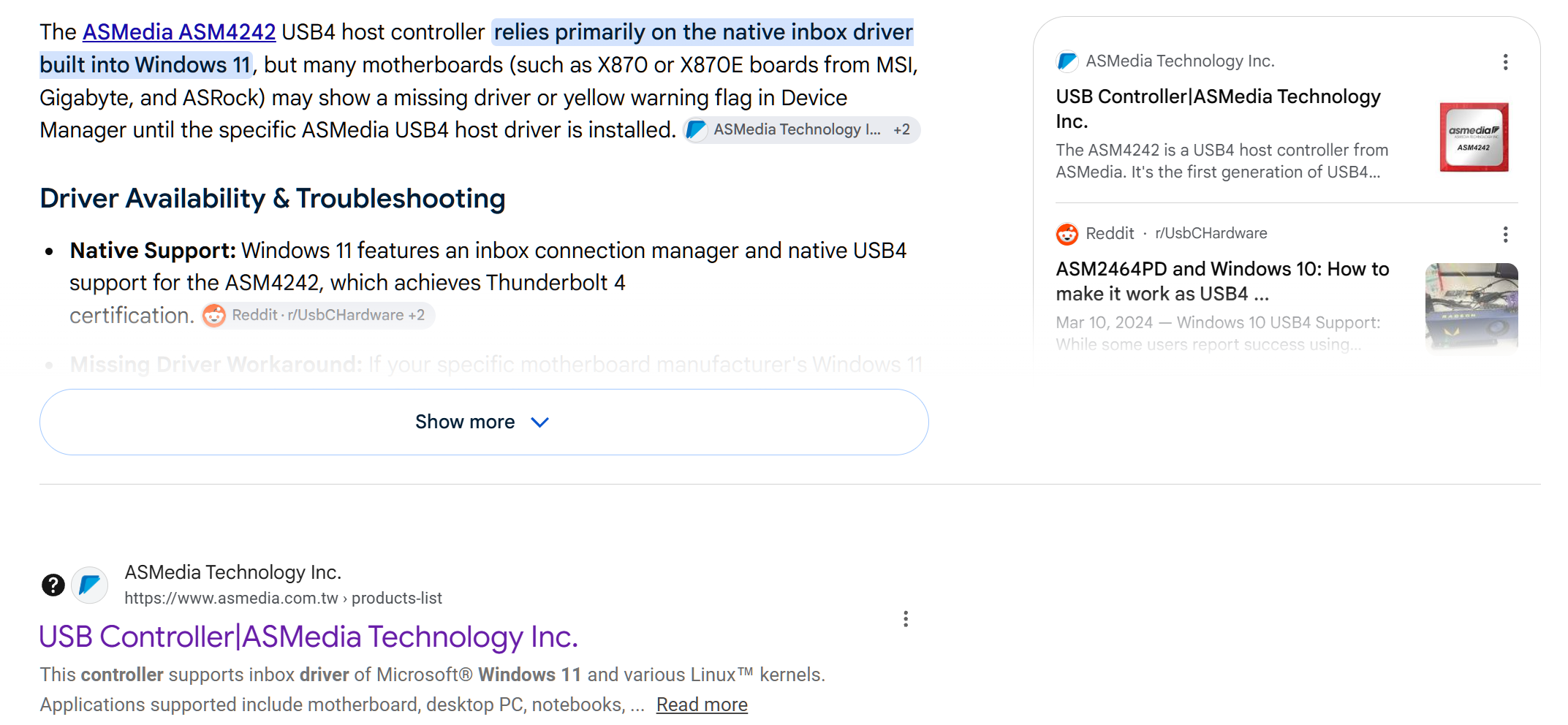
The ASM4242 card supposedly has Windows 11 support but MB manufacturers have created drivers due to the No Driver error in Device Manager.
So maybe it works but sets an error flag.
-
Talked to ASUS motherboard & accessory support person today about a lack of Windows 11 driver for the USB4 PCIe GEN4 Card. I said there is probably little demand for it, but since they do have one for Windows 10, it would be nice to make one for Windows 11, unless I'm the only one complaining. He said he has not handled questions about this board before. Nice.
-
I'm seeing: ITE UCM DRIVER V2.3.8.21 for Windows 10/11 64-bit.
Does that not install properly for you?
-
Dead end with ASUS USA. They had me attempt a USB4 bios update that wouldn't process, then update the MB BIOS (I think I went from 1644 to 1686 which allowed the other executable update components to install). We couldn't communicate well regarding whether the PCIe16 slot mattered. I didn't want the 3_1 or 3_2 middle slots because they share bandwidth with RAM or SATA (I forget) and I thought the _5 slot was intended, or should be reserved for a GPU card (I am using the MB-integrated GPU, anyway). So I chose the very last one I think is _4, but can't read it with the card installed. It also is unreadable in the ASUS online manual.
They referred me to ASUS Japan, who said support is handled by distributors so they couldn't help me. I responded that no distributor can provide a driver if it doesn't exist. They responded that if it didn't appear in the Windows 11 section it wasn't supported. "Nice" is the politest thing I can think.
-
I don't remember which things I attempted. I remember something that had ITE in the file name, but a longer name. I'll look at my downloads & take notes. The one executable said I had to install a a Visual C component first. When I finally did locate that it refuses to install because there is already a different version installed (I presume newer). I skipped that step rationalizing it has what it wants already.
What I did eventually succeed in installing had a USB component and a PD power component. That process had a choice of two sub-folders depending which MB. I used the one that agreed with the B850. I think the other was for non-B850.
I reluctantly tried a B850 MB chipset executable from the B850 driver support page and seem to have more devices that show (transient) /!\ flags in Device Manager…the reason I was hesitant…how to get back to 'correct'?
Thank you.
-
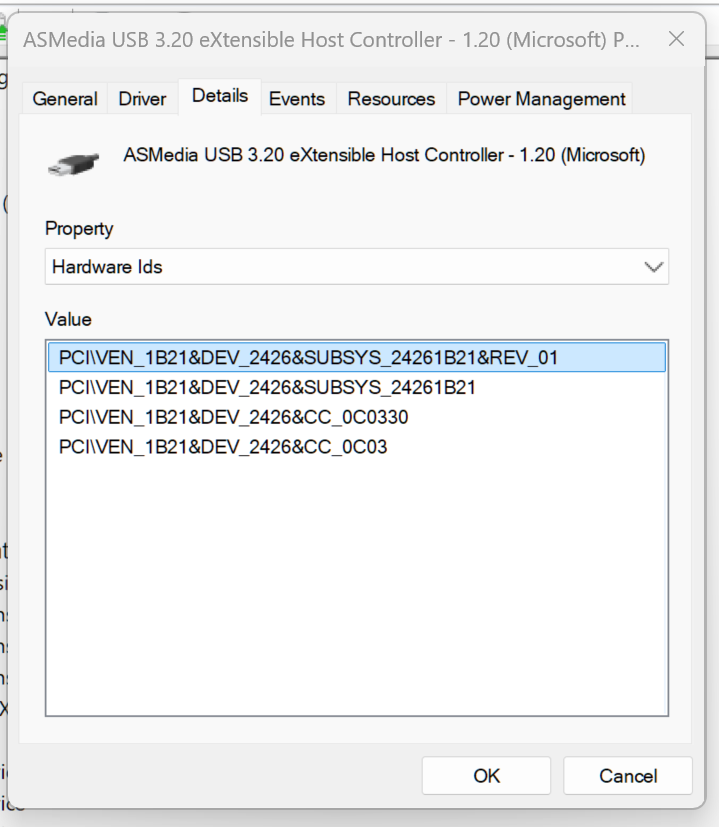
Can you show me a screenshot with what's not installed in Device Manager? Please show hardware IDs if you can.
-
AMD Chipset driver v8.03.25.247 for Windows 10/11 64-bit is the last thing I installed. It came from this page
The one you asked me about seemed unfamiliar because it downloads with a different name.

It was the one that produces two sub-folders. Those required the VC component installation first, that I could not install due to another already being there. One folder's component seemed to complete execution, but the other would just 'disappear'. ASUS MB tech support had me check Task Manager, where it didn't show up. After the MB BIOS update (they told me I had to install all of the ones later than 1644 the MB came with). Since I had no instructions how to do that, I went online (blindly trusting) and found a method that said to install the latest MB FW, not everything from 1644-1686. It used the BIOS USB-A port and rear panel reset button. I cut a corner and tried 1686 only, successfully. They were all the same file size in the ASUS download area.
The process seemed to complete after installing BIOS FW 1686 but is still causing /!\ USB Controller flag in Device Manager and intermittent Windows error popups about the last USB device installed not being recognized.
What's weird about the package you inquired about is that they are executables, not 'driver files'.
In the Windows 10-64 ASUS driver folder, there was a USB4 driver sub-folder which contained a driver. I was able to look at the components. I can't remember now whether what I thought I recognized as a driver file was a .inf or .cfg. That is what I did try allowing Device Manager to install under Update Driver but it was declared non-Windows-11-compatible.
All of the updates I completed/attempted were with the USB4 card still installed, since I never encountered any PnP-style instructions to install the driver, then the device. I need to pull the B947 tower out from under the desk to remove the card. I'm too old to manage that without having the PC in an open space on its side. The expansion card slot and screw require some agility and I want to visually confirm the card fully seated and header cables installed properly.
& that reminds me. ASUS tech support asked about the three cables between the USB4 card and the PC (14-pin USB4, 10-pin USB2 and 6-pin PCIe power) They couldn't tell me which USB 2 slot, if it mattered. The instructions only called it USB2, not the MB silkscreen labels. I had three choices, and of course can't read the one I selected with the card and cables installed. I probably chose the one closest to the 14-pin USB4 header, for no particular reason other than it making sense to me.
So, indirectly answering your question, the component you asked me about DID complete after multiple attempts and BIOS FW update.
If the PCIe slot and USB2 header don't matter, or removal of the card to 'flush' Device Manager, I may have to look at something simple (if I dare) like an outboard USB-C chassis.
I will work on the Device manager screenshot request. I DID do that for the unrecognized USB controller device when my foggy recollection of how to read that info came back to me. That allowed me to confirm the card ID's as ASMedia ASM4242. That at least confirmed which USB device was actually the driverless USB4 card. That is what led me to retrieve the ASM4242 description from ASMedia
I did not dig into the mfr. codes for the other 14 USB components that have no /!\ icons. WHOA! HAD none last week. One does now.
I'll start with less info (believe it or not) & you can tell me if you need more.
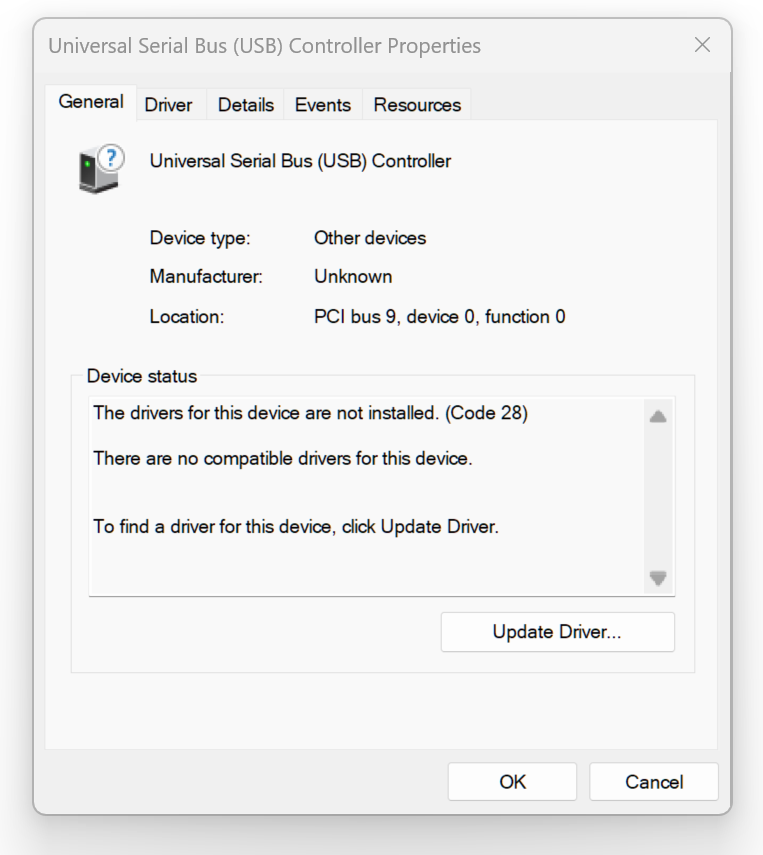
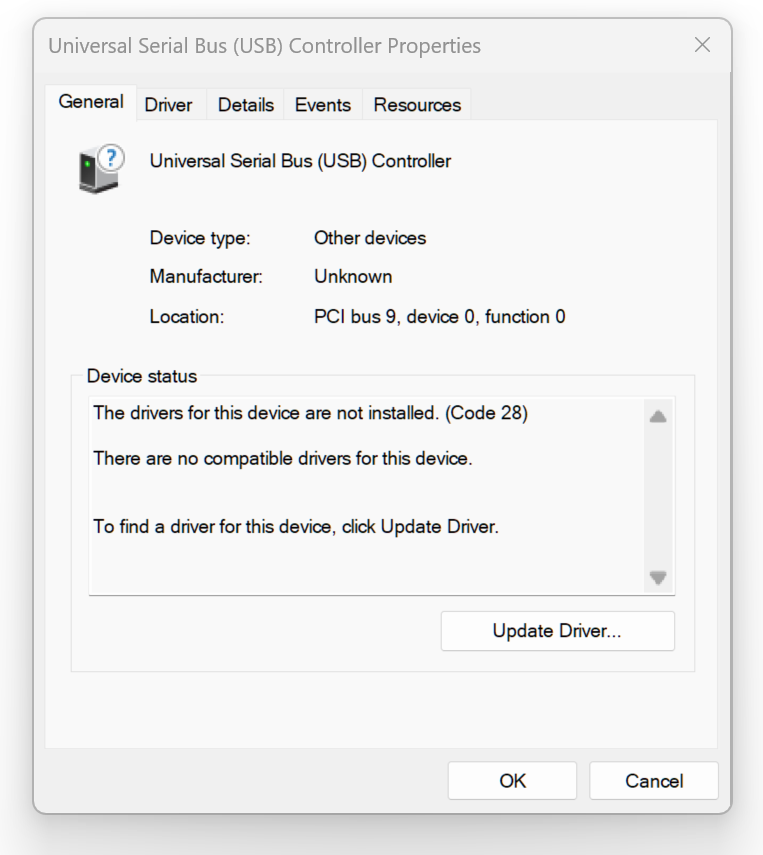
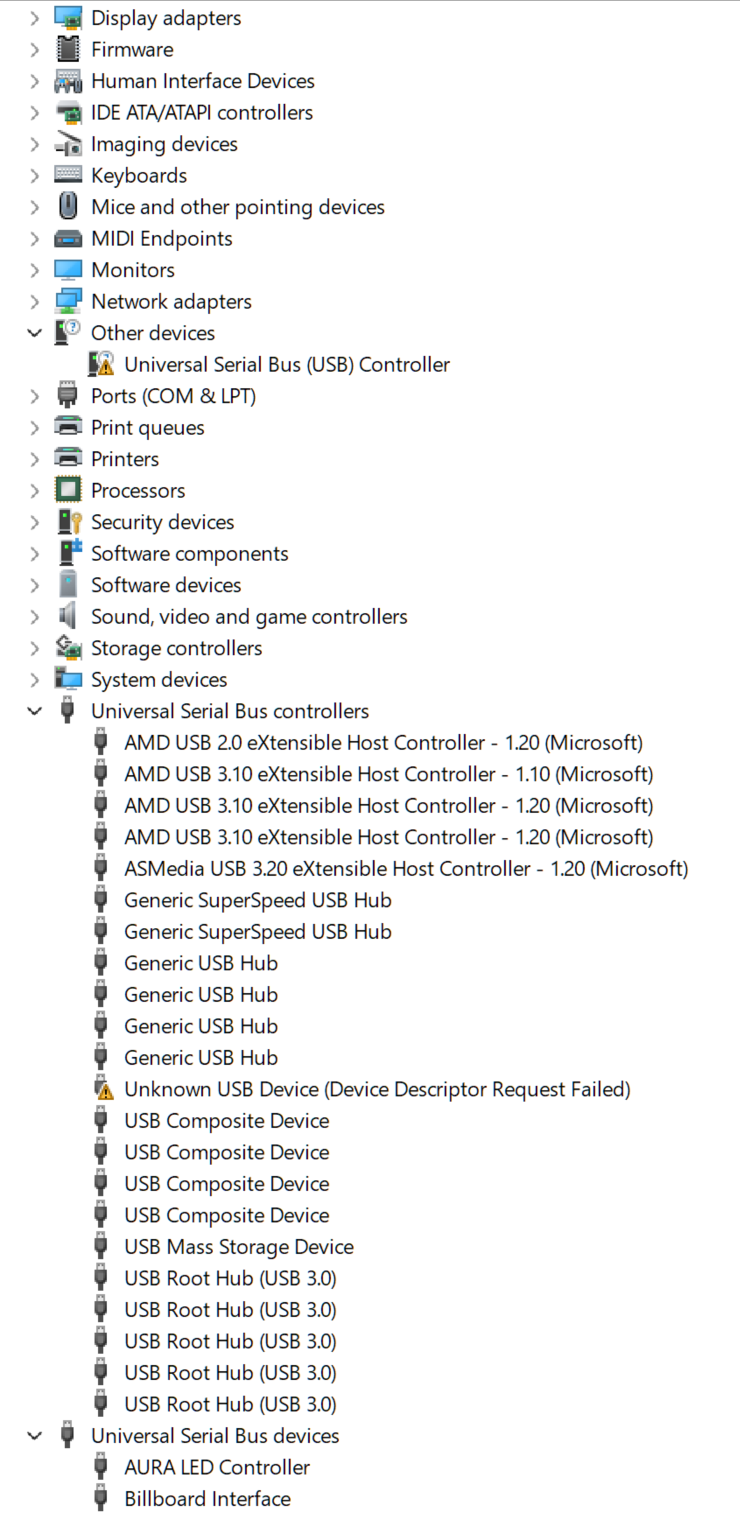
Those are not the order I wanted them in.
The Device Instance Path for the ASM4242 device: PCI\VEN_1B21&DEV_2425&SUBSYS_24251B21&REV_01\451ECAFFFF5177A000
The Hardware Id info:
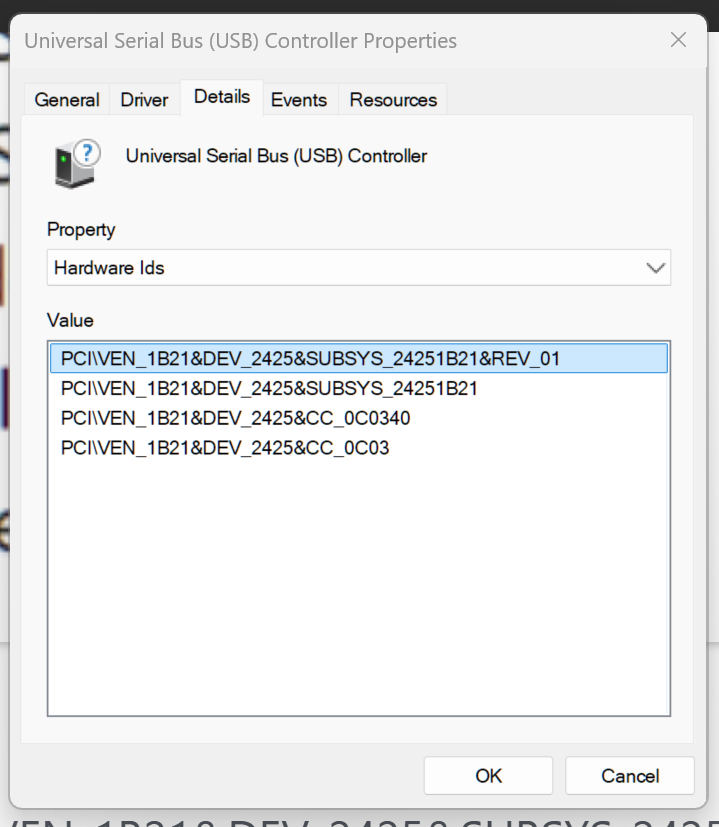
Lastly, the 'new' USB device ID error was from one of two devices I left plugged into the USB4 card. One was an Acasis USB-C SSD carrier & multi-function hub that identifies with brand and model in Device Manager as a Disk Drive. The other was an Acasis USB4 SSD carrier. That one seemed to produce the 'Billboard' flag. With those unplugged from the USB4 card, the only Device Manager anomaly is the unrecognized ASM4242 card.
Thanks for reading, by the way.
-
I definitely don't see a driver with that ID in the package. And you're going to need PCIe tunneling via _OSC for this board which tends to be an issue. Let me talk to my ASUS contacts and see what we can do.
-
Thank you.
-
They're checking on the required BIOS features on our current custom BIOS. As for the driver it's an inbox ASMedia driver, it should be in the OS repository. Try right clicking, doing an update driver and searching the system to see if it picks it up.
-
Update driver only wants to search on my PC. If I (guess &) 'search all', looking for ASMedia, Windows finds an upstream PCI driver but warns it cannot determine compatibility & recommends not installing it.
-
It should be installing a Microsoft USB 3.20 Host Controller driver.
-
0) I don't know where the OS repository is, even if I've already accessed it, possibly because it's not labeled as such. I assume that would be the support area for either the MB or the USB4 card on ASUS website, but I'm grasping at straws…guessing what might help, and confused over what I've tried multiple times at different stages of updates. I also don't remember what I've tried
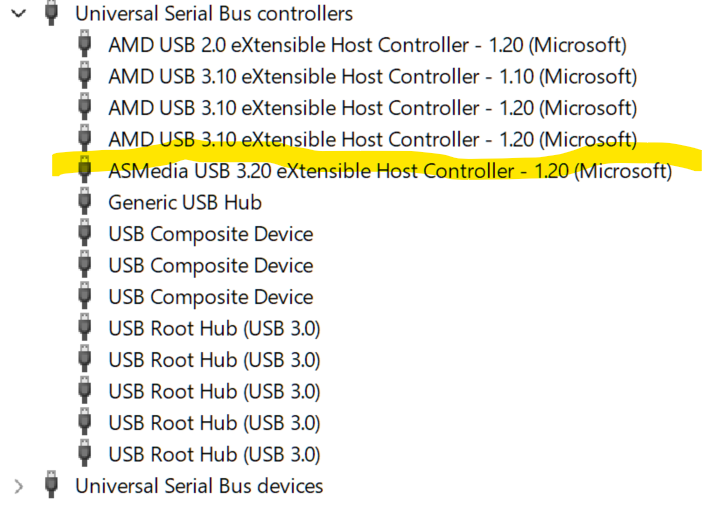
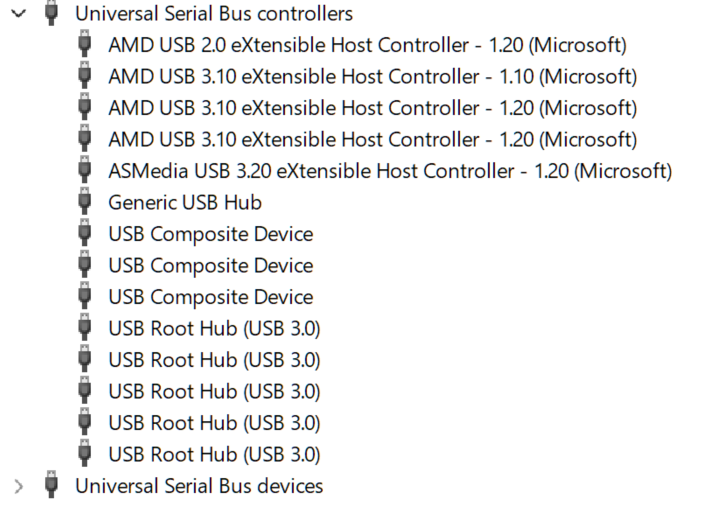
1)) I DO see a Microsoft USB 3.2 item under the happily-installed USB devices, but there is still the Other Device that is an ASMedia ASM4242 with no driver.
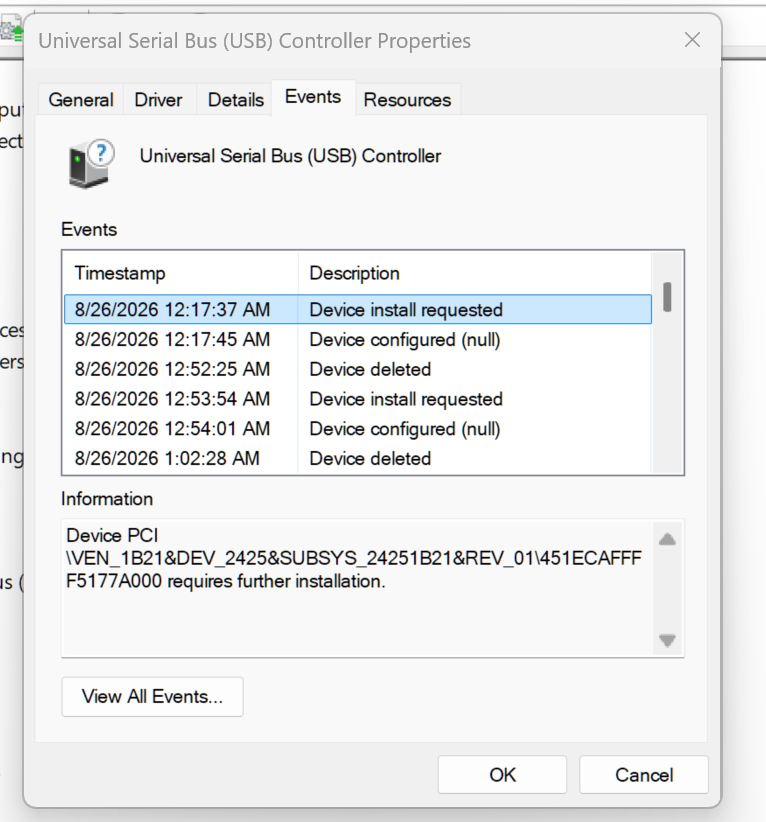
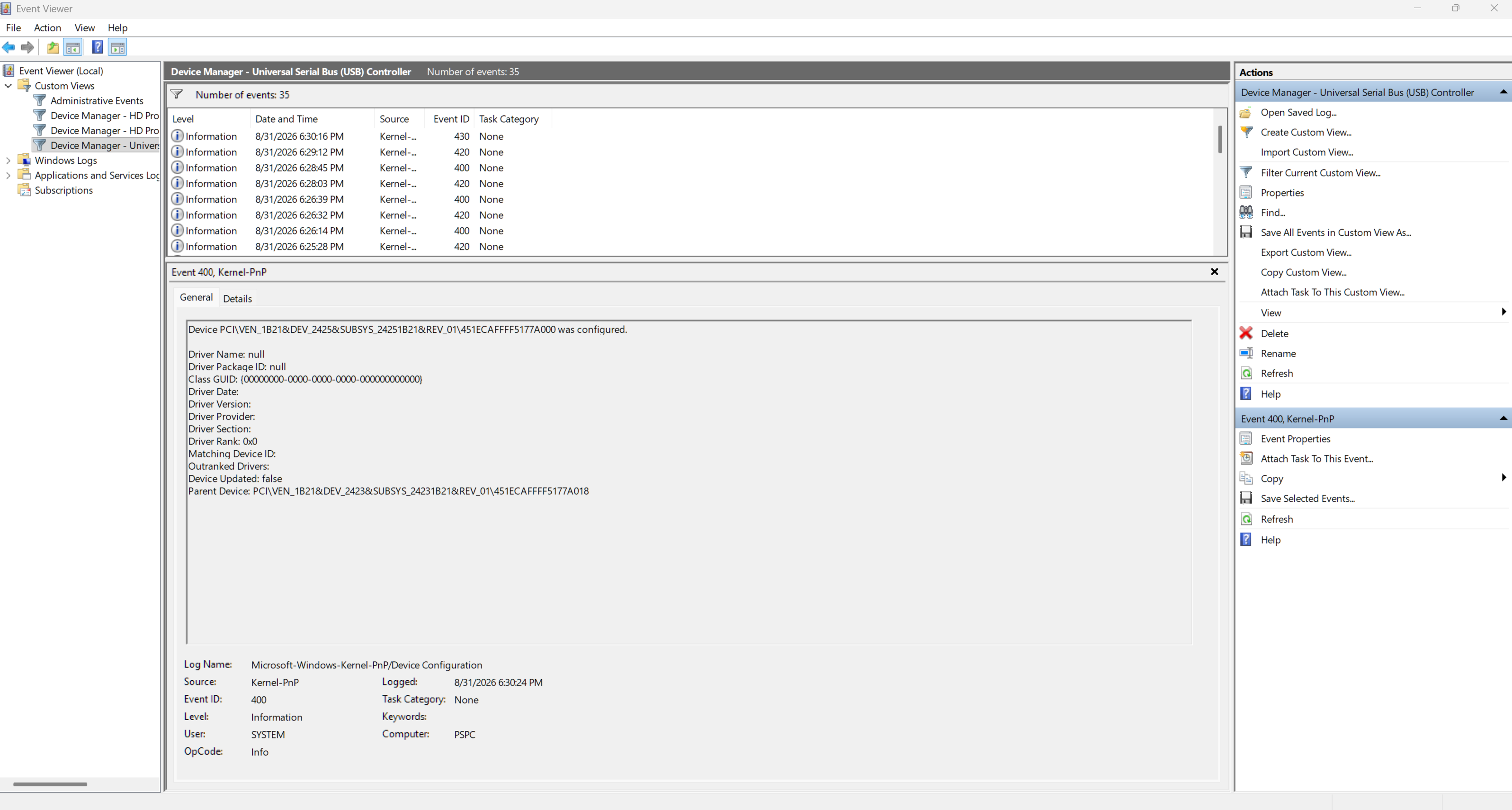
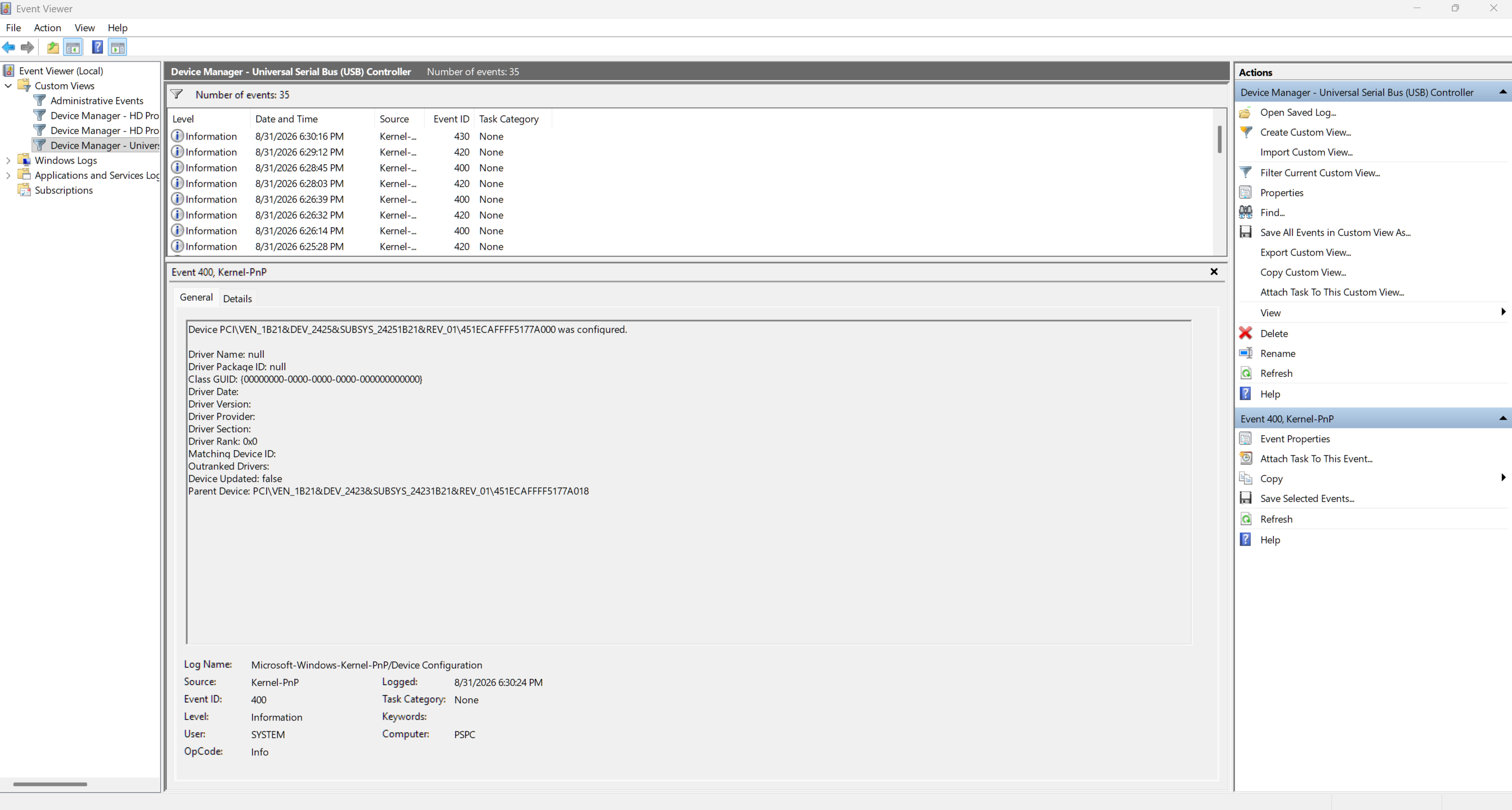
2)) I stumbled onto Event Viewer and another detail I may have missed earlier, a status that says a device needs further installation (the driver?).
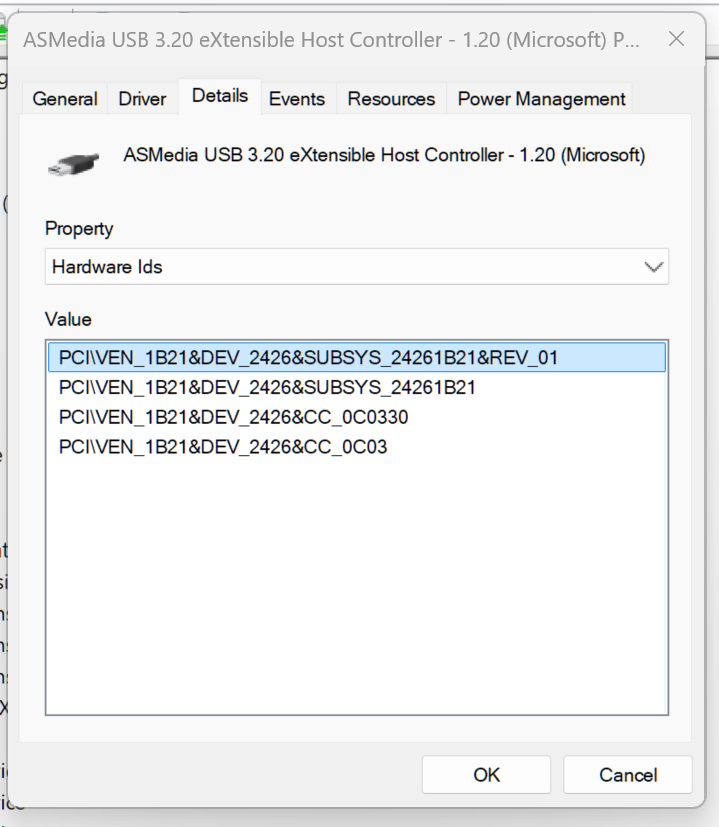
Attached are some screen clips. Apologies if there are any redundant ones. I am confused at this point, per item 0) above. I am nervous about trying other drivers I find on ASUS site because I am rationalizing what might be relevant, see warnings about instability and not operating. I am guessing at this point, & hope that the BIOS knows what is relevant to the system and what is not. I don't know how to uninstall changes that might have been irrelevant.
Apologies for any redundant screen shots if I posted any.
Thanks
-
The ASMedia 1.20 (Microsoft) is the inbox driver I referenced, but you apparently have another unknown device that's not installing. Could you try disconnecting the USB 2.0 cable from the device and see if either that or the "Other Device" disappears?


Leave a Comment
Categories
- All Categories
- 1 The Blog
- 1 What's Trending
- 8.2K The Community
- 3.3K General Discussion
- 153 New Members
- 896 Consumer Tech
- 248 Prebuilt PCs and Laptops
- 171 Software
- 33 Audio/Visual
- 54 Networking & Security
- 4 Home Automation
- 5 Digital Photography
- 14 Content Creators
- 30 Hobby Boards & Projects
- 85 3D Printing
- 84 Retro Arcade/Gaming
- 64 All Other Tech
- 520 PowerSpec
- 2.7K Store Information and Policy
- 156 Off Topic
- 70 Community Ideas & Feedback
- 620 Your Completed Builds
- 4.1K Build-Your-Own PC
- 3K Help Choosing Parts
- 329 Graphics Cards
- 339 CPUs, Memory, and Motherboards
- 146 Cases and Power Supplies
- 54 Air and Liquid Cooling
- 51 Monitors and Displays
- 94 Peripherals
- 71 All Other Parts
- 65 Featured Categories
We love seeing what our customers build
Submit photos and a description of your PC to our build showcase
Submit NowLooking for a little inspiration?
See other custom PC builds and get some ideas for what can be done
View Build ShowcaseSAME DAY CUSTOM BUILD SERVICE
If You Can Dream it, We Can Build it.
Services starting at $149.99