
Powerspec g914 Bluetooth not working


Answers
-
WIFI works? Unplug the system for 30 seconds then power it back on and check device manager again. There's nothing at all under 'Bluetooth'?
-
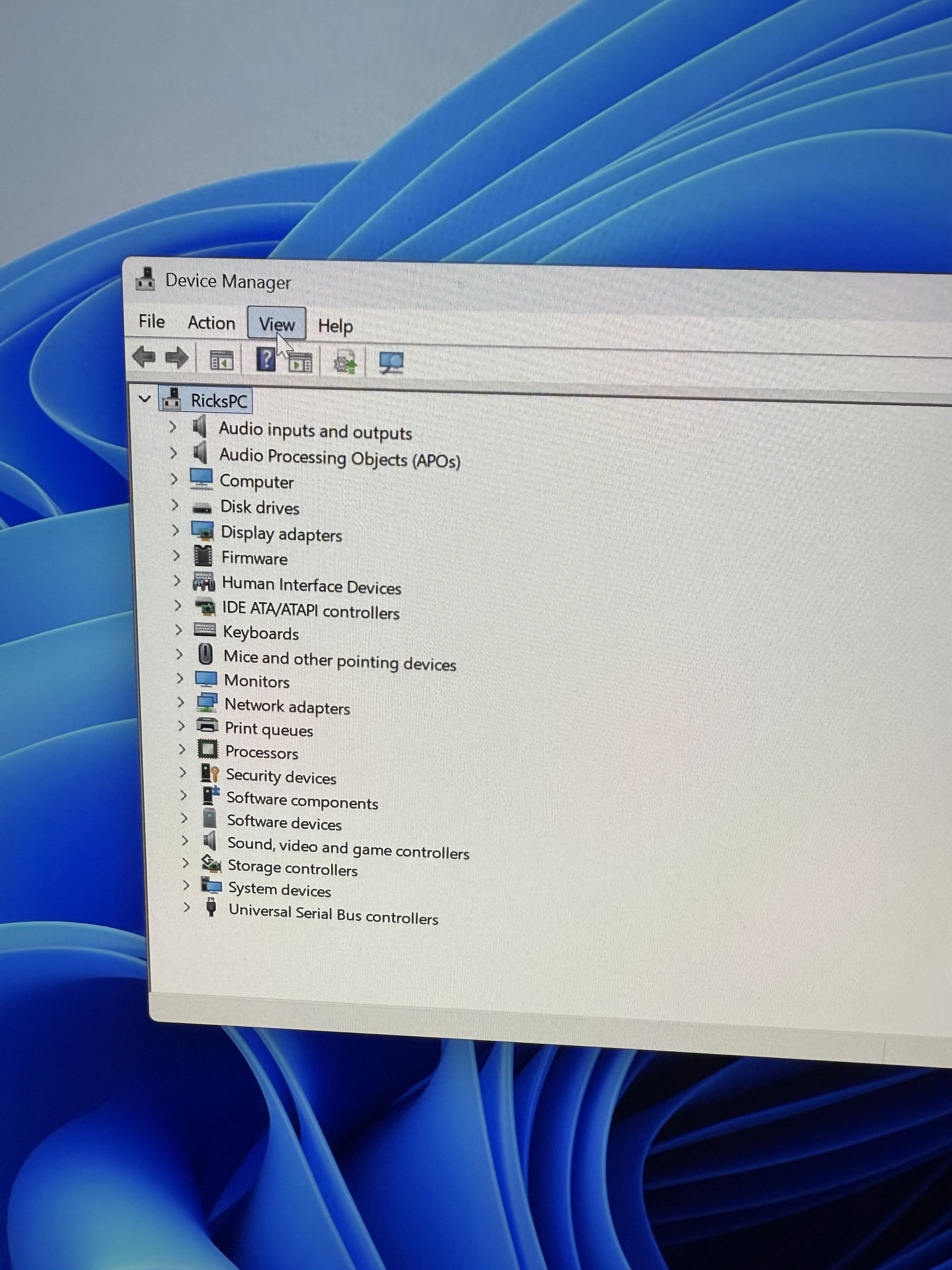
@PowerSpec_MikeW just did that sorry I work nights and have barely touched my pc but there’s literally nothing in device manager that says bluetooth
-
It's an integrated module with the WIFI. WIFI is working fine, correct?
-
@PowerSpec_MikeW
yes WiFi is working fine, I don’t see a WiFi either should I just take it to MC and see if they can see what’s wrong with it I just bought it a couple weeks ago -
-
The WIFI is fine. We'll probably need to swap the board out on this one.
-
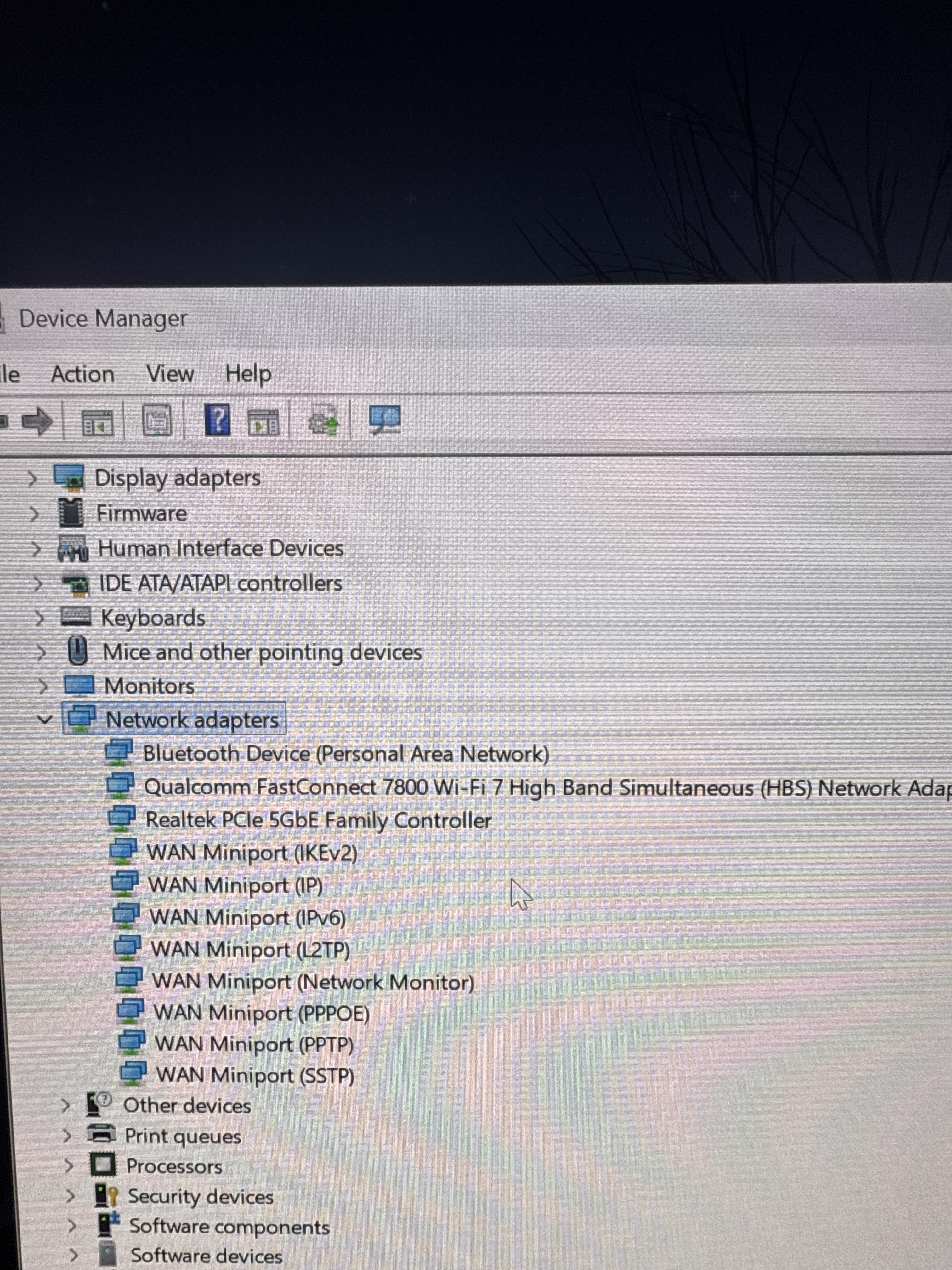
@PowerSpec_MikeW just came back out of the blue
-
That's different. Keep an eye on it, we'll replace the module/board under warranty.
-
I have the exact same problem on the exact same system. did you ever find a permanent solution to this?
-
First thing is always to discharge the system, I've seen that happen a few times. Usually it's a one off.
-
It’s a recurrent issue for me. So I have tried everything including resetting cmos (which will make it work until the next restart), turning off fast startup, reinstalling Bluetooth drivers. Bluetooth sometimes disappears completely and sometimes shows up with broken driver that needs to be uninstalled and it tends to happens after the pc is shut off for a while. WiFi is always rock solid the entire time. What has helped in the past couple of days (fingers crossed) is that I moved my controller dongle from a usb 2 port to a usb 3 port. If this is a permanent fix, then it’s probably because the Bluetooth chip set is sharing power draw with the usb 2 ports. Maybe this’ll help someone else’s Bluetooth woes.
-
ok i spoke too soon, after 9 days the bluetooth problem came back. Needed another cmos reset before the bluetooth was recognized again. This is getting frustrating.
-
Next step would be checking the card is seated properly, but I believe it's under the I/O on this board. We'll replace the board under warranty.
-
hmm, i can't seem to find the location in the manual, can you link a picture/schematic? My worry is that the problem is so intermittent and random that it won't be reproducible when I bring it into the store.
-
Looks like it's mounted vertically behind the antennas, it would be quite a job to get to. You'd certainly have to remove the board. Let us just get you a new board.
-
ok, how do I get the process started? I actually went though powerspec phone support without a definitive fix. I can bring it into the store but hopefully they don't make me go through the diagnostic process again.
-
The store would need to diagnose it. The problem is, by the time you get there, discharging it in the process, it may be working again. But we need to go through the process. I would setup service in the store and let me know what the outcome is. We'll go from there.
-
yeah, not looking forward to a 3 hour trip for this especially if they won't replace the board.
-
Give them a shot to handle it. If it's not solved, let me know and I'll figure something out.
-
Ok microcenter did a diagnostic and can’t replicate the problem. They did offer to replace the entire pc with a new one but there weren’t any in stock. I’m trying to see if they can replace the motherboard either way.
-
Let me know. We just finished our inventory, so units should be replenished soon.
-
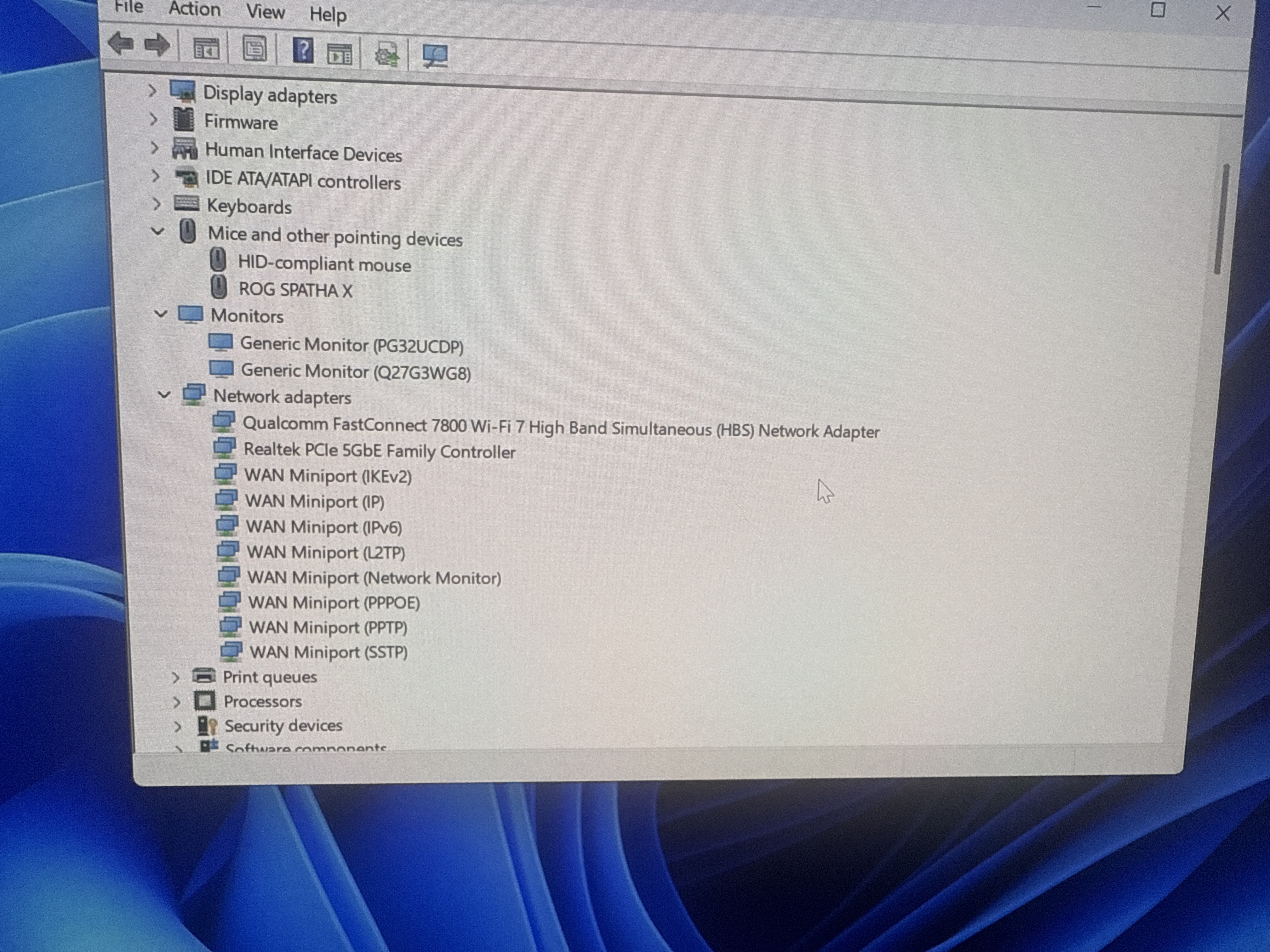
so I was able to recreate the problem pretty consistently (not everytime). It happens when I have more than 1 usb 2.0 ports in the back used for 2.4ghz wireless dongles for keyboard/mouse/controller and put a SSD in the m.2_4 slot. Bluetooth will disappear in device settings and under USB it will have a problem with a usb device. If i unplug the dongles and/or use only usb 3.0 then the issues gets resolved with a simple restart, otherwise it requires a power discharge. Seems like utilizing the usb 2.0 ports causes overloading of the chipset bandwidth and/or power somehow. Or maybe the board is confusing the dongles for the onboard bluetooth on boot when plugged to usb 2.0.
-
That makes more sense. I've seen issues like this, and generally the main factor is if the ports are run via chipset or CPU directly. Please list the devices with brand and model.
-
Logitech k400, gamesir g7 pro wireless, crucial p3 plus.



Leave a Comment
Categories
- All Categories
- 1 The Blog
- 1 What's Trending
- 7.9K The Community
- 3.2K General Discussion
- 144 New Members
- 872 Consumer Tech
- 233 Prebuilt PCs and Laptops
- 168 Software
- 33 Audio/Visual
- 54 Networking & Security
- 4 Home Automation
- 5 Digital Photography
- 14 Content Creators
- 30 Hobby Boards & Projects
- 84 3D Printing
- 83 Retro Arcade/Gaming
- 62 All Other Tech
- 426 PowerSpec
- 2.6K Store Information and Policy
- 150 Off Topic
- 61 Community Ideas & Feedback
- 615 Your Completed Builds
- 4K Build-Your-Own PC
- 2.9K Help Choosing Parts
- 328 Graphics Cards
- 335 CPUs, Memory, and Motherboards
- 145 Cases and Power Supplies
- 54 Air and Liquid Cooling
- 49 Monitors and Displays
- 93 Peripherals
- 69 All Other Parts
- 65 Featured Categories
We love seeing what our customers build
Submit photos and a description of your PC to our build showcase
Submit NowLooking for a little inspiration?
See other custom PC builds and get some ideas for what can be done
View Build ShowcaseSAME DAY CUSTOM BUILD SERVICE
If You Can Dream it, We Can Build it.

Services starting at $149.99