
PowerSpec General Questions
Comments
-
I am in need of a Sata cable for a PoweSpec PSX 650GFM power supply. I really don't want to order a generic or 3rd party sata cable. Not knowing if it's correctly rated power wise and burn my SSD up without knowing for sure.
Thanks in advance -
Recently bought a POWERSPEC G757, Half of my USB devices wont work anymore as im having issues with usb controller resource limits? I never had this problem before. Any ideas?
-
My Powerspec G759 4.03 all of a sudden works in instant flash now after I reverted back to 3.5. I have found a horrible problem with firmware 4.03. After you update to 4.03 when your computer goes into sleep mode my nvme D drive disappears and won't show up again until I reboot the system. Using the disk management software does not find it when I refresh and only a reboot fixes it. I have verified this 100 percent. I put the samsung 990 in the pci 4 spot and put a 9100 in the gen 5 spot. I reverted back to 3.5 and sleep mode does not cause the D drive to be missing anymore. I tried reinstalling the 4.03 firmware and as soon as I did the sleep mode caused the d drive to disappear. I went back to 3.5 and it fixed it again. It is a terrible bug if you have an nvme drive as your d drive. Your computer only come with one nvme drive so you never see this bug until you have 2 nvme drives installed.
-
Got it, NVMe. Let me look into it.
-
Thanks.
-
Try 4.10.
-
4.10 works now with sleep mode. Thanks. Everything also works properly with instant flash in bios.
-
Hey guys, I literally just bought this G457 today and brought it home. Maybe two hours into setting up my pc and downloading everything this rattling sound starts. Im not sure what it is, maybe a fan? Maybe the top middle one? I'm not really sure. But it continues as long as the pc is on. When I tried shutting it off completely and turning it back on the sound started up again after maybe 15 minutes. I don't really know a lot about pc hardware, so Id really like help figuring out what's going on. My local microcenter is a 4 hour round trip and I really dont want to do that drive two days in a row (especially with gas prices) and then again once its fixed. If I could fix it on my own that would be awesome. If you can help me that would be awesome. I'm trying to post a link with a video of the sound so you can hear it, but the site won't let me. Any way I can get permission to do that so I can show y'all what I'm hearing?
-
I'd remove the side panel and try to isolate it. You might push on the fan housing and see if it's loose and rattling due to that. Once we have a root cause we can see if we can just send a replacement part.
-
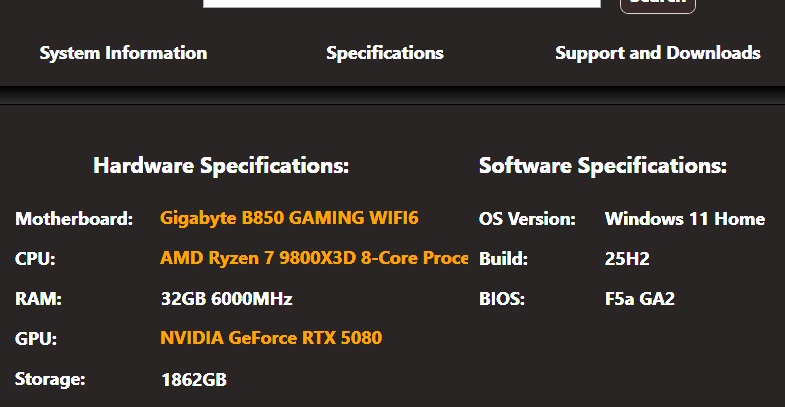
Exception is a 1000 Power supply instead of 850. How can I get my aio work quiet. I have the pump set at full speed already in bios. should i lower voltage?
-
Hello, got a G757 recently and had problems with the PSU. Microcenter determined it was faulty and replaced it. After getting it back home and playing around with it, I’m having random power failures again. When the PSU was the culprit, I was able to easily reproduce the issue. Currently, that’s not the case.Notable events were a memory management bsod, and a failed memory diagnostics test. I haven’t been able to recreate these and the system passed a memtest86 scan. Additionally, nothing else shuts down, just the PC.I’ve verified it’s not a power failure from my residence and even replaced the surge protector just to be safe. Reinstalled windows, DDUd the drivers and reinstalled, and haven’t OCd the system.Anything else I should be doing to diagnose or solve the problem?
Thanks in advance! -
Motherboard i guarantee you
-
If it's shutting off and staying off rather than rebooting and the PSU has been ruled out. Board is the most likely remaining culprit.
-
The computer does automatically reboot after the power failures this time around. Apologies for not being clear in that regard.Would that still indicate a motherboard issue? Or does that free up some other possibilities?
Mainly want to check off all the boxes before I drag it back out to microcenter. Especially since I can’t reliably recreate the problem and it wasn’t caught after the initial PSU repair. -
-
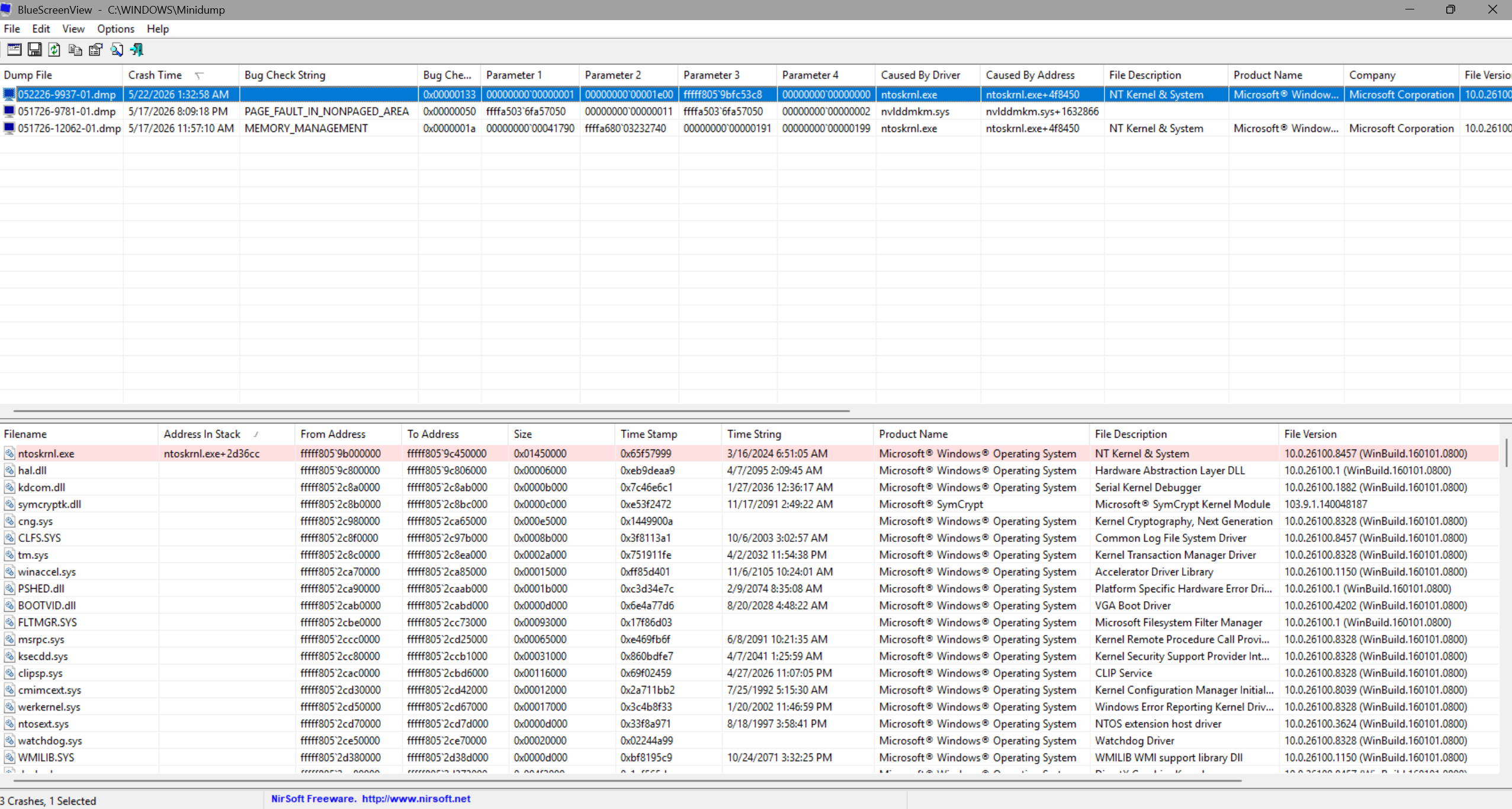
I had two logs from when I got the initial memory management BSOD. One was the memory_management proper (ntoskrnl). If my understanding was correct, the other indicated a potential fault in an nvidia driver (nvlddmkm), which I have since DDUd and clean installed. That error was listed as a page fault.
I did have a third one yesterday during general use; it has no bug check string, but was listed as a DPC_watchdog_violation.
No other failures have had a BSOD or log file.
This is a screen of the most recent error:
-
I would work to rule out the OS first given the previous issues. Are you able to do a clean install and see if the issues persist?
-
I could do another, but this is from a recent clean install if that helps/matters. The first two minidump files were backups I made beforehand.
Essentially; after I got the PSU replaced on the 16th, I had those issues on the 17th and reinstalled the OS. Couple days with no problems, thought I fixed it, and then back to errors on the 20th to now.
-
That would rule out the OS. Have the issues gotten progressively worse since then?
-
Hello! I very recently purchased a G760 which has, so far, been working perfectly fine. The only issue I've been having is trying to turn off the PC's many RGB lights; I've been looking over what's been posted in here, and have tried every method I have come across. I uninstalled ASUS Armoury Crate with the official uninstaller, then did a fresh reinstall, and yet I am still only able to control the RGB on the RAM and ONLY the RAM. I have tried utilizing the C / M buttons on the top of the case, but to no avail (in fact, those buttons do absolutely nothing as far as I can tell, as they don't even change ANY of the RGB lights as they should). I even tried alternative software like SignalRGB, but even that was unable to detect any of the RGB components outside of the aforementioned RAM. Given all of this, I can only assume that all of the RGB components aside from the RAM are in a sort of perpetual standby mode, or otherwise in whatever setting is used for store display models, as they cycle through color gradients without the ability to do anything else.
As a side note, if I have to crack open the PC to check cable connections and/or change connections, would that void the warranty I have? Thanks!
-
Apologies for the delayed reply on this issue. I did another OS reinstall and that did not fix the underlying problem. I ended up taking it into Mircocenter again to see if they could have a go at it. They suspected a CPU failure. However, even they were unable to reliably recreate the shut downs, but they did get it to happen. Ultimately went with an even exchange since I was in the return window and felt it was my best option. No issues with the replacement model, so it was just some awful luck on my end.
Thank you for the assistance though. Wish I was able to actually solve it in case anyone else has the problem in the future, but it really did just seem like bad luck.
-
If those buttons aren't working, I'd check the controller on the rear. If it's connected properly, it may be defective.
-
Thank you for getting back to me so quickly! Could you please provide more detail regarding the rear controller you mentioned? I have tried researching it online, but am still unsure what you are referring to. Is it a physical control on a different part of the chassis, or is located somewhere on the motherboard? I should also mention that since my last post, I attempted to tweak the RBG setting in BIOS and have the PC run in "Stealth Mode" (all onboard RBG turned off) and, once again, only the RAM seemed to respond. Thanks again!
-
It's a small PCB behind the back panel, case fans and all RGB devices are connected to it. It has SATA power. If everything is connected, we just need to replace it for you.
-
I bought a Powerspec G913 5 days ago. When I try playing some games the computer freezes completely. I am unable to ctrl alt delete, use my mouse, or any other buttons. The screen shows whatever was on at the time. I have to use the power button to reset the pc. Any ideas what would cause this?
-
Does your caps lock light work? Need to know if it's a total system lockup for a frozen frame buffer.


Leave a Comment
Categories
- All Categories
- 1 The Blog
- 1 What's Trending
- 8K The Community
- 3.2K General Discussion
- 146 New Members
- 876 Consumer Tech
- 235 Prebuilt PCs and Laptops
- 169 Software
- 33 Audio/Visual
- 54 Networking & Security
- 4 Home Automation
- 5 Digital Photography
- 14 Content Creators
- 30 Hobby Boards & Projects
- 84 3D Printing
- 83 Retro Arcade/Gaming
- 63 All Other Tech
- 460 PowerSpec
- 2.7K Store Information and Policy
- 152 Off Topic
- 64 Community Ideas & Feedback
- 620 Your Completed Builds
- 4K Build-Your-Own PC
- 3K Help Choosing Parts
- 328 Graphics Cards
- 335 CPUs, Memory, and Motherboards
- 146 Cases and Power Supplies
- 54 Air and Liquid Cooling
- 51 Monitors and Displays
- 93 Peripherals
- 70 All Other Parts
- 65 Featured Categories
We love seeing what our customers build
Submit photos and a description of your PC to our build showcase
Submit NowLooking for a little inspiration?
See other custom PC builds and get some ideas for what can be done
View Build ShowcaseSAME DAY CUSTOM BUILD SERVICE
If You Can Dream it, We Can Build it.

Services starting at $149.99